# Geofence Failsafe Trigger

<figure><img src="/files/EDnLNQBSgSzk5twV81D1" alt=""><figcaption></figcaption></figure>

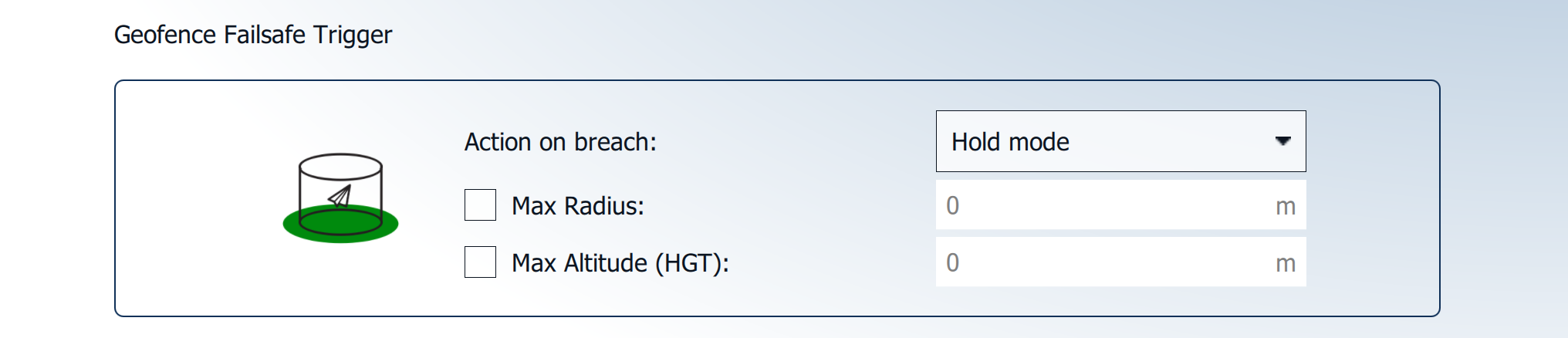
The **Geofence Failsafe Trigger** can be set to limit the vehicle's radius and/or altitude. When these parameters are breached, the vehicle will perform the defined action.

**Default Action on breach:** Hold mode

**Default Max Radius:** Disabled&#x20;

**Default Max Altitude (HGT):** Disabled

Failsafe detection can trigger one of the following actions.

<table><thead><tr><th width="170"></th><th></th></tr></thead><tbody><tr><td><strong>None</strong></td><td>No action</td></tr><tr><td><strong>Warning</strong></td><td>A warning message will be displayed/announced.</td></tr><tr><td><strong>Hold mode</strong></td><td>The vehicle will enter Hold mode and orbit at the location and altitude where the failsafe action was triggered.</td></tr><tr><td><strong>Return mode</strong></td><td>The vehicle will enter Return mode and fly directly to the designated landing location at the set return altitude, then land.</td></tr><tr><td><strong>Terminate*</strong></td><td>Turns off all controllers and sets all PWM outputs to their failsafe values. The failsafe outputs can be used to deploy a parachute, landing gear, or perform another operation.</td></tr><tr><td><strong>Land mode*</strong></td><td>The vehicle will enter Land mode and land immediately.</td></tr><tr><td><strong>Max Radius</strong></td><td>The horizontal radius of the geofence cylinder around the <strong>Home Position</strong>. Alternatively, a circle can be drawn and freely positioned in the <strong>Plan View</strong>. The horizontal geofence is disabled if set to 0.</td></tr><tr><td><strong>Max Altitude</strong></td><td>Height of geofence cylinder. Altitude geofence disabled if 0.</td></tr></tbody></table>

(**\***&#x6F;nly available in AMC's Advanced Mode)

{% hint style="warning" %}
The **Max Altitude** is referenced to the takeoff location **(HGT)**, **not** above ground level **(AGL)**. Special care must be taken when operating in an area with varying ground elevations.
{% endhint %}


---

# Agent Instructions: Querying This Documentation

If you need additional information that is not directly available in this page, you can query the documentation dynamically by asking a question.

Perform an HTTP GET request on the current page URL with the `ask` query parameter:

```
GET https://docs.deltaquad.com/gov/setup/safety-features/geofence-failsafe-trigger.md?ask=<question>
```

The question should be specific, self-contained, and written in natural language.
The response will contain a direct answer to the question and relevant excerpts and sources from the documentation.

Use this mechanism when the answer is not explicitly present in the current page, you need clarification or additional context, or you want to retrieve related documentation sections.