> For the complete documentation index, see [llms.txt](https://docs.deltaquad.com/gov/llms.txt). Markdown versions of documentation pages are available by appending `.md` to page URLs; this page is available as [Markdown](https://docs.deltaquad.com/gov/setup/deltaquad-evo-battery/auxiliary-battery-placement.md).
# Auxiliary Battery Placement
This section will cover the correct placement of the auxiliary battery.
{% hint style="info" %}
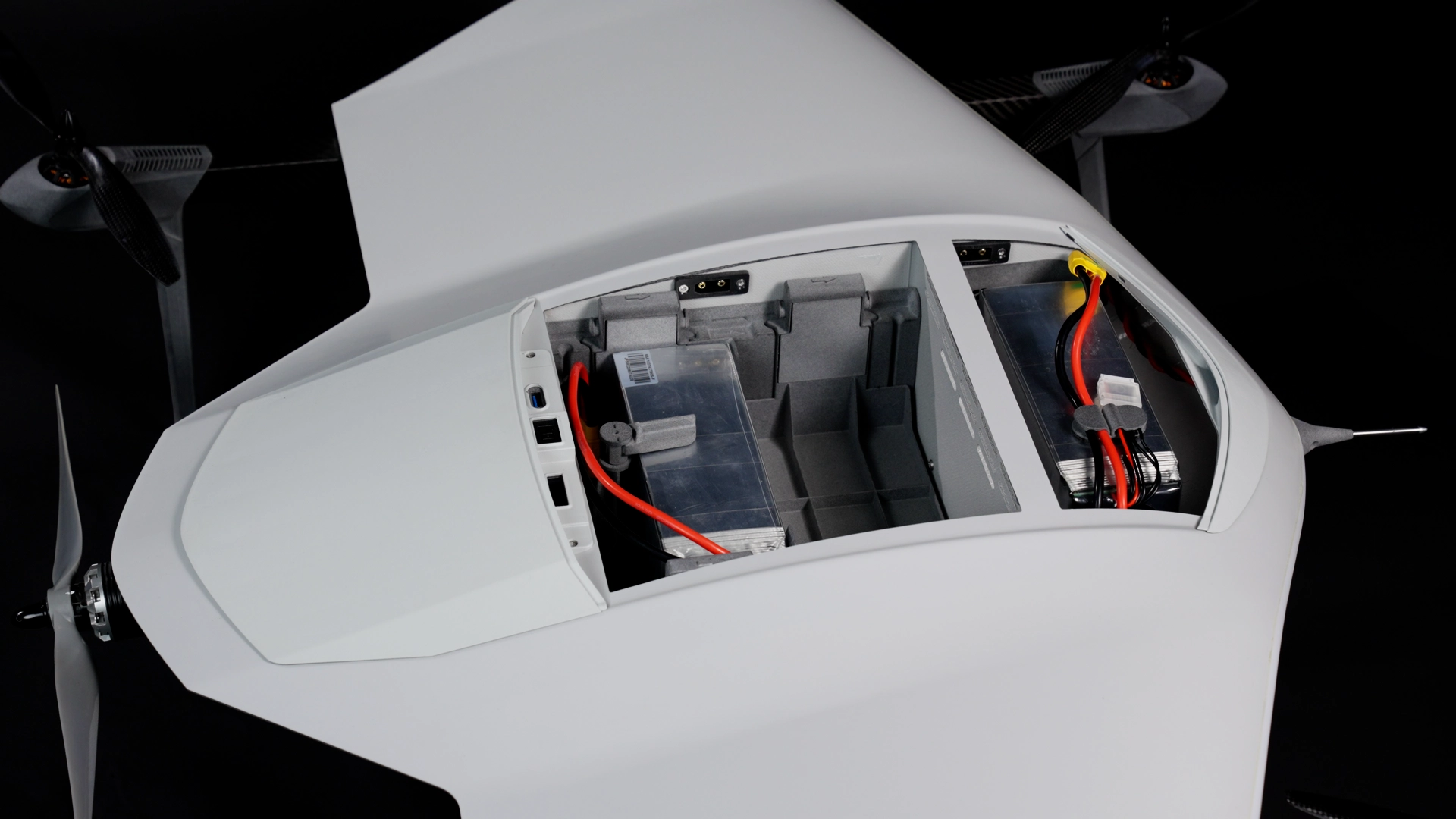
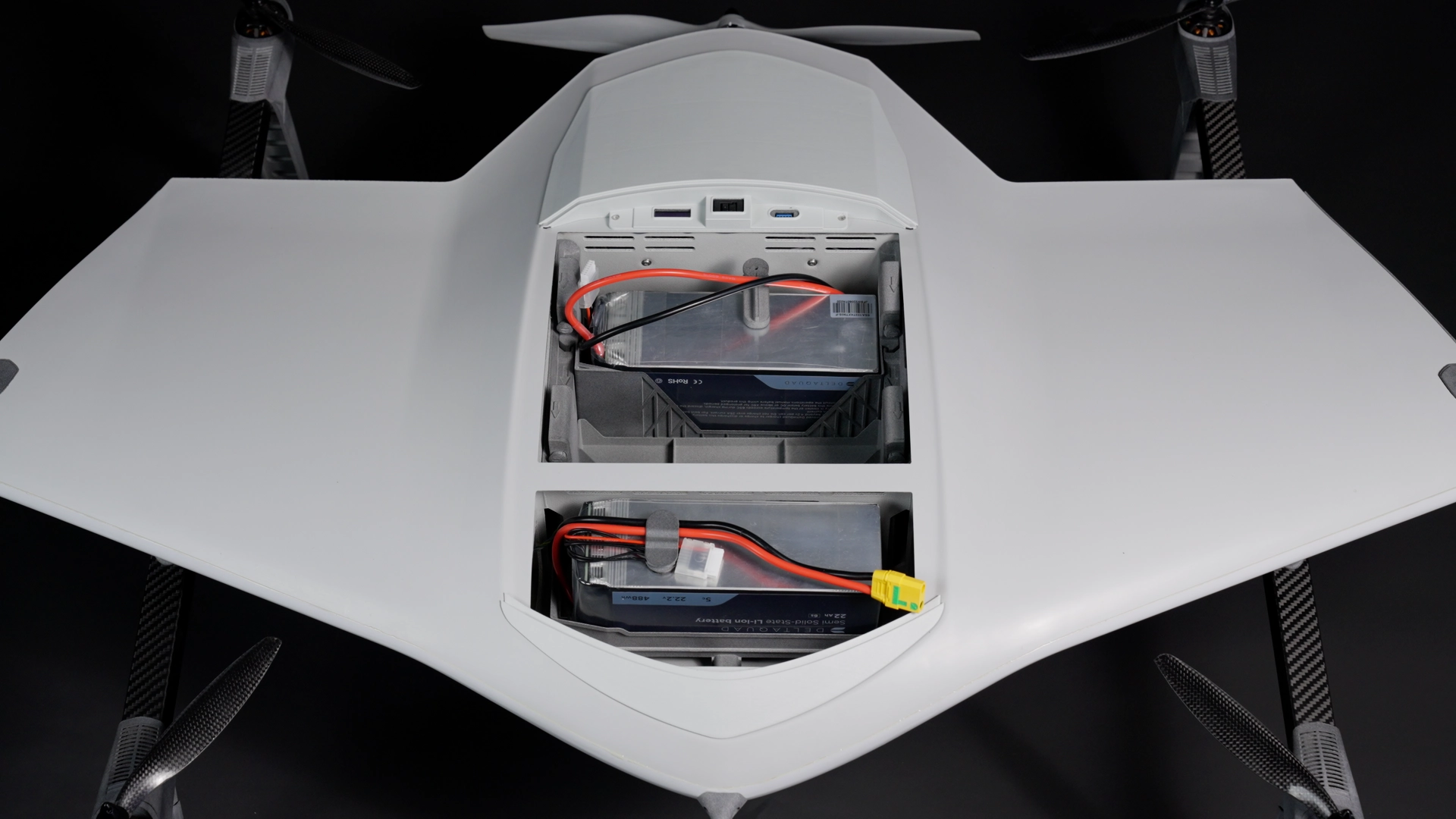
To extend the flight time and overall mission range of the DeltaQuad Evo, the auxiliary battery can be installed in the payload bay alongside the main battery.
{% endhint %}
{% hint style="danger" %}
**Always fly with batteries that are at least 95% charged, and ensure that both batteries have the same charge level.**
Flying with two batteries of differing charge levels connected to the same circuit is dangerous, as the batteries will attempt to equalize their charges rapidly. This can cause excessive current flow, leading to overheating and potential failure. The resulting heat may cause the batteries to overheat and possibly catch fire, creating serious safety hazards
{% endhint %}
{% hint style="danger" %}
Never attempt to fly using only the auxiliary battery, as this will result in an incorrect center of gravity (CG). **The main battery must always be installed**.
{% endhint %}
## Placing the Auxiliary Battery
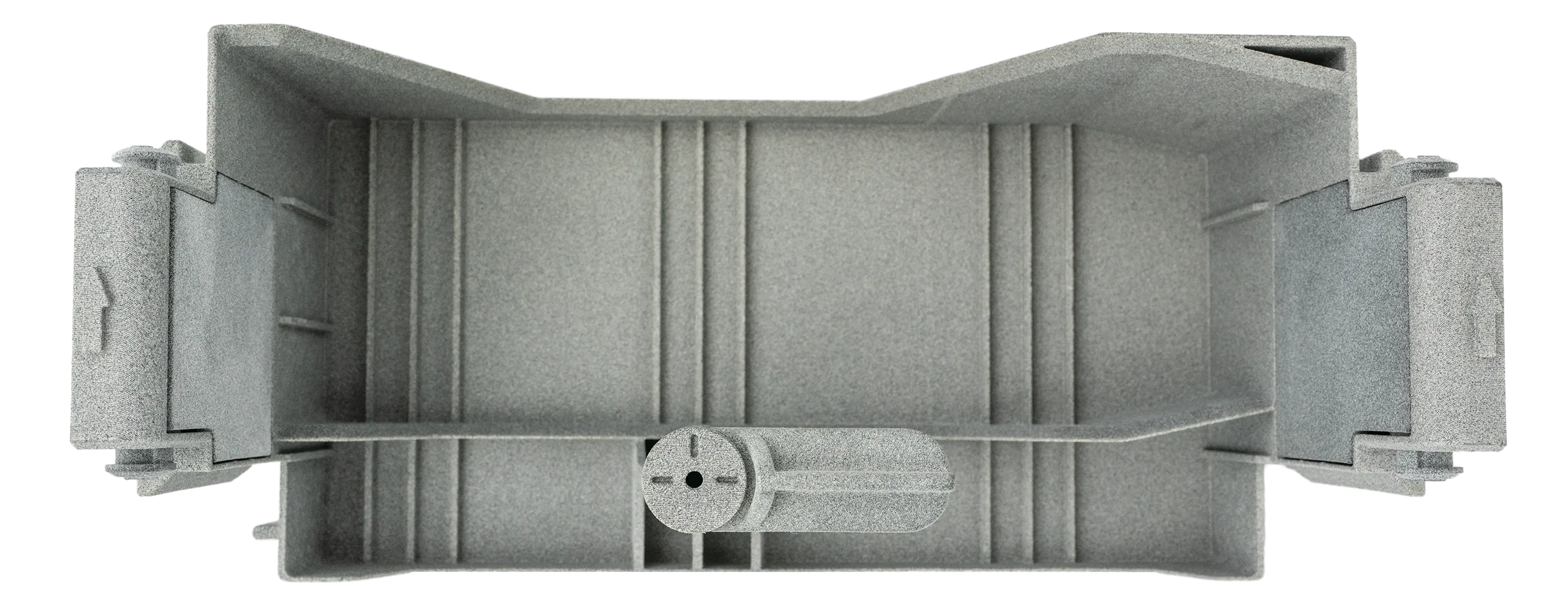
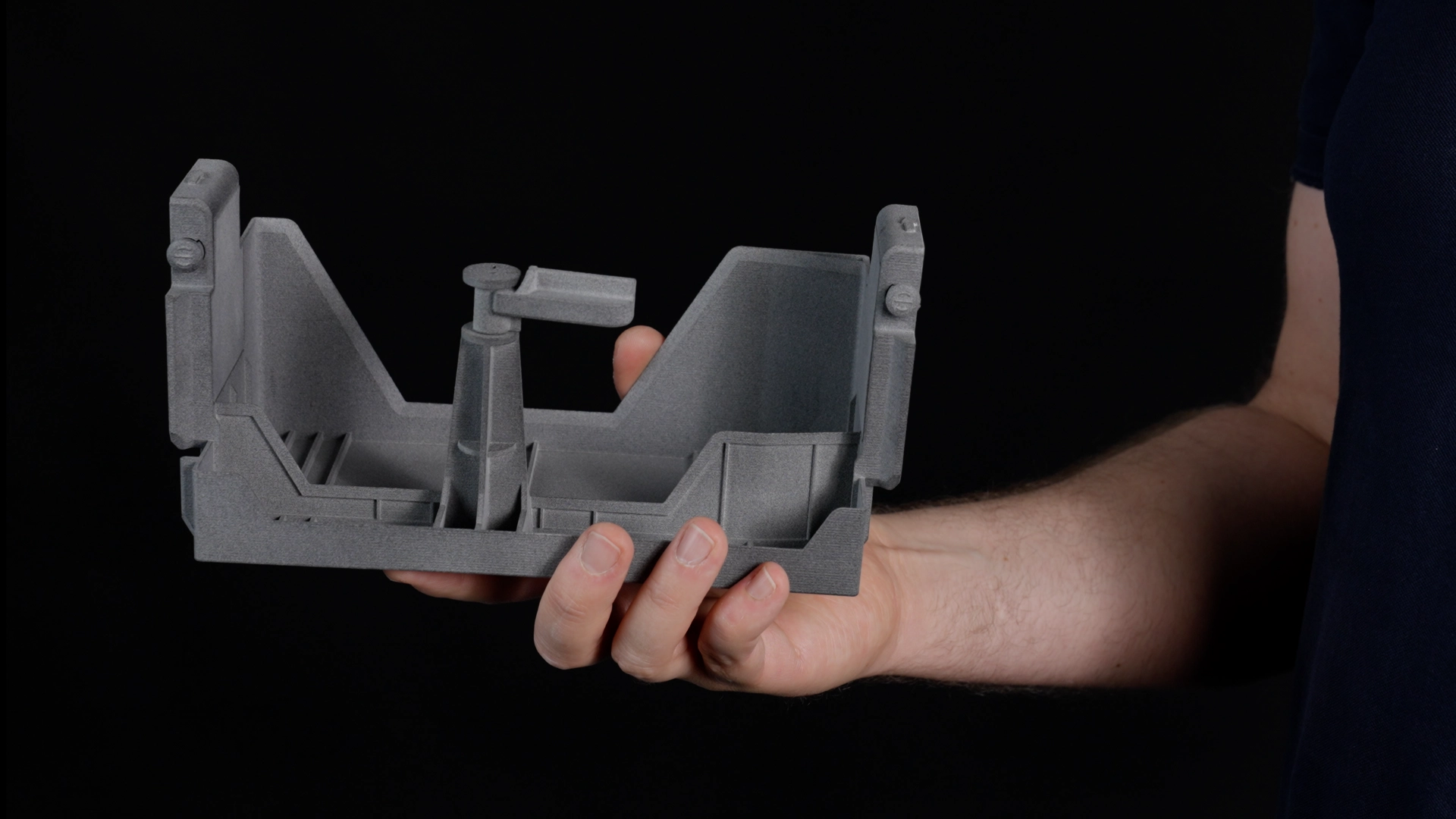
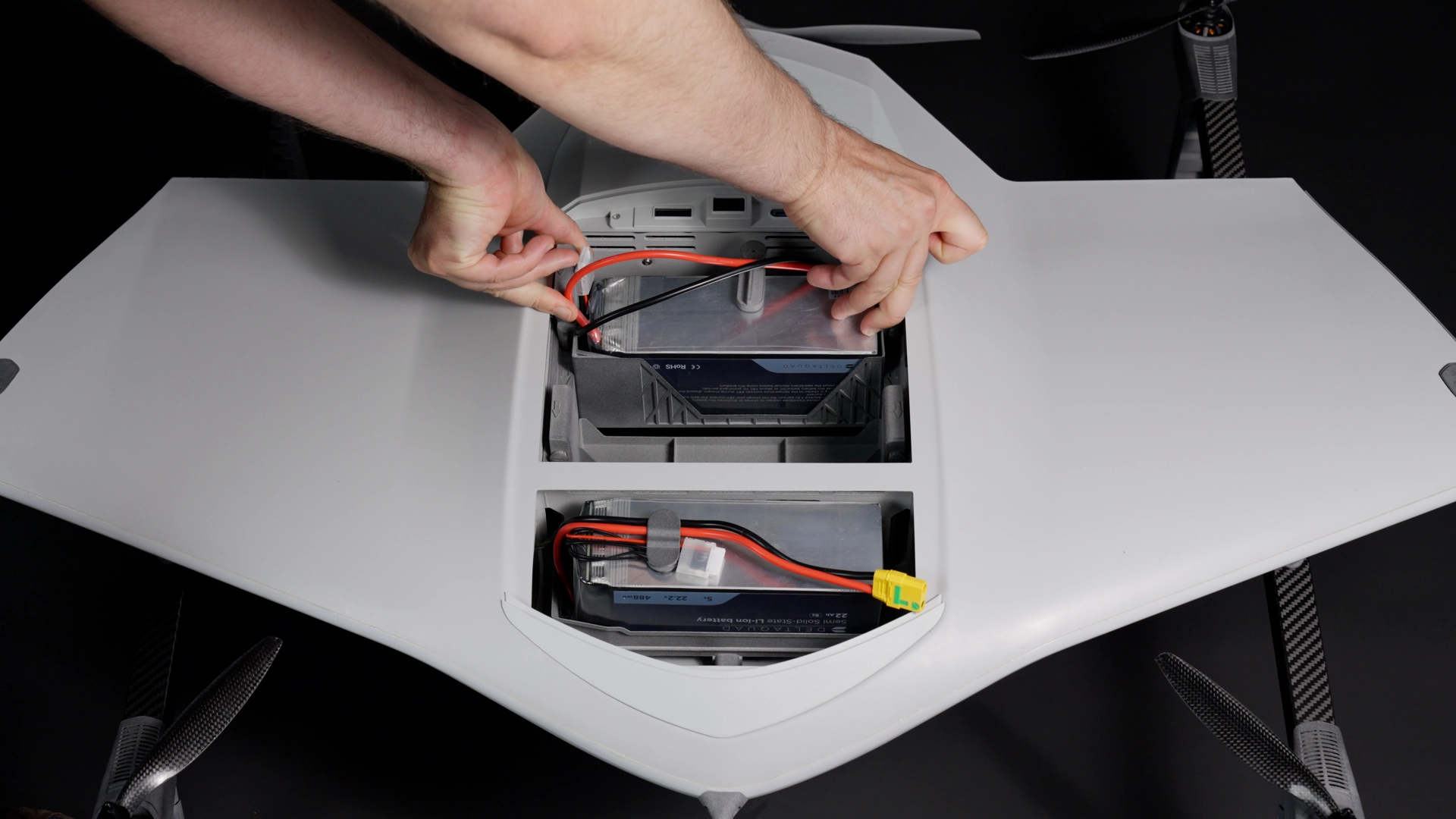
* Every DeltaQuad Evo includes an auxiliary battery payload box.
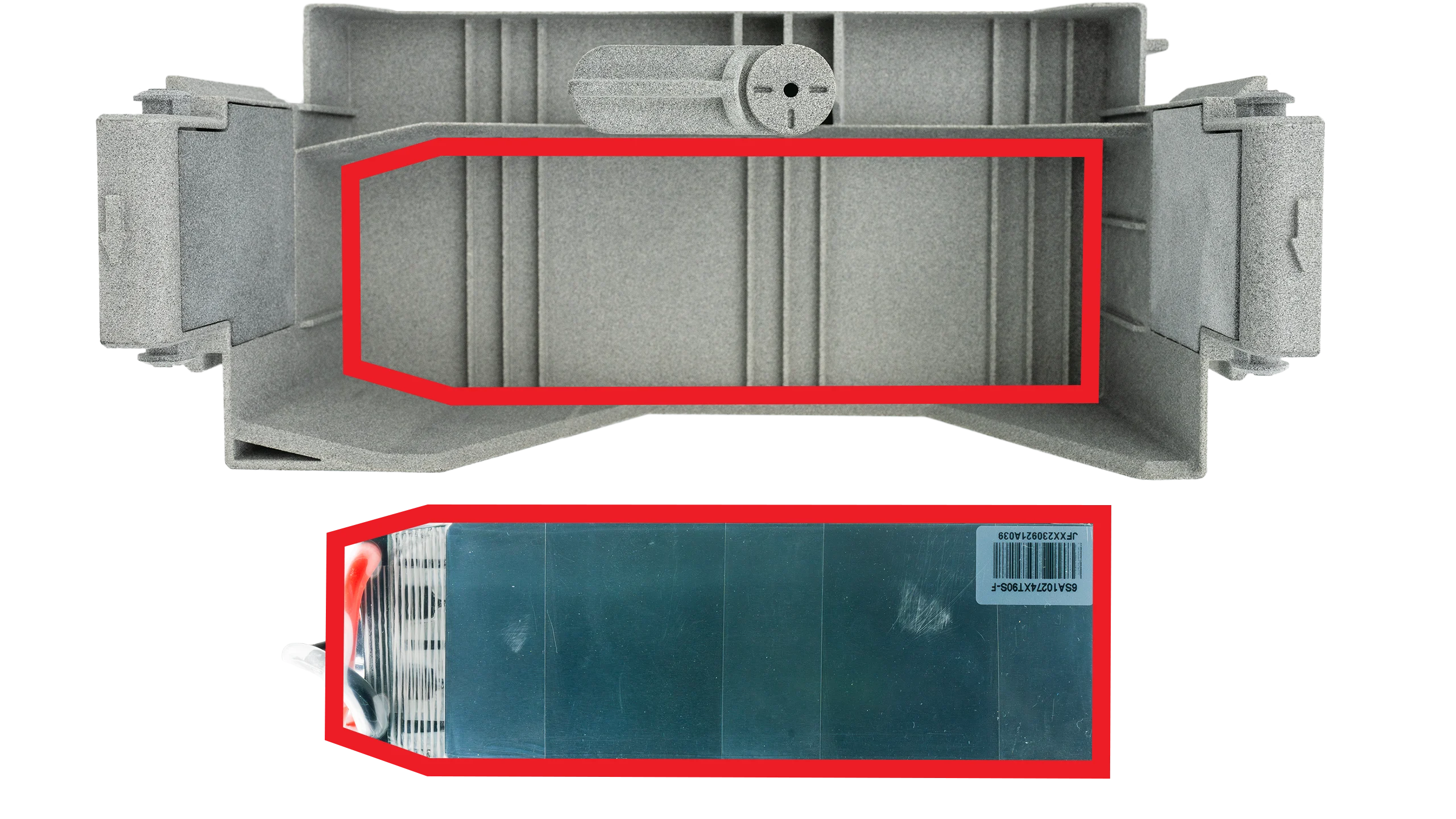
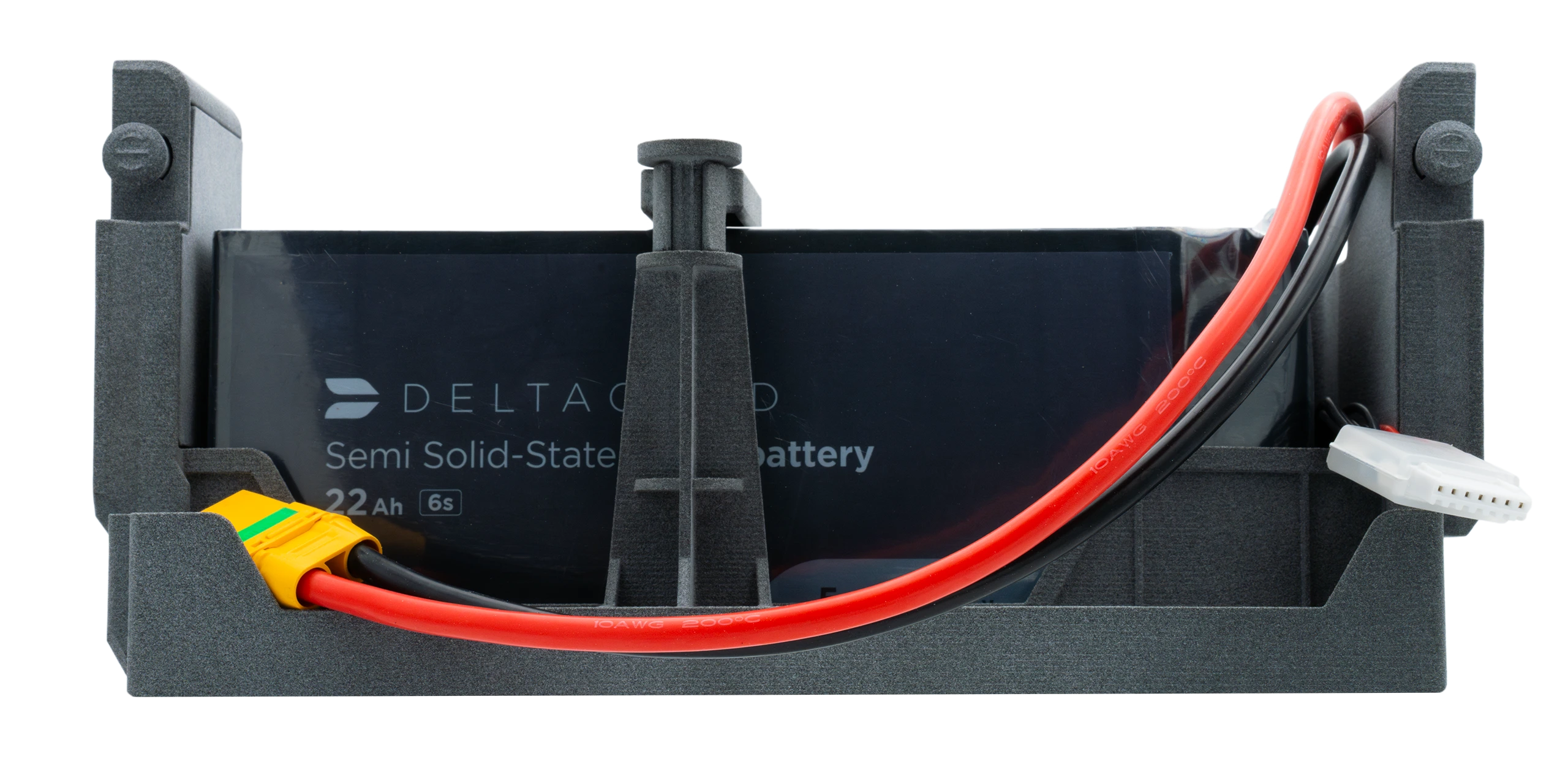
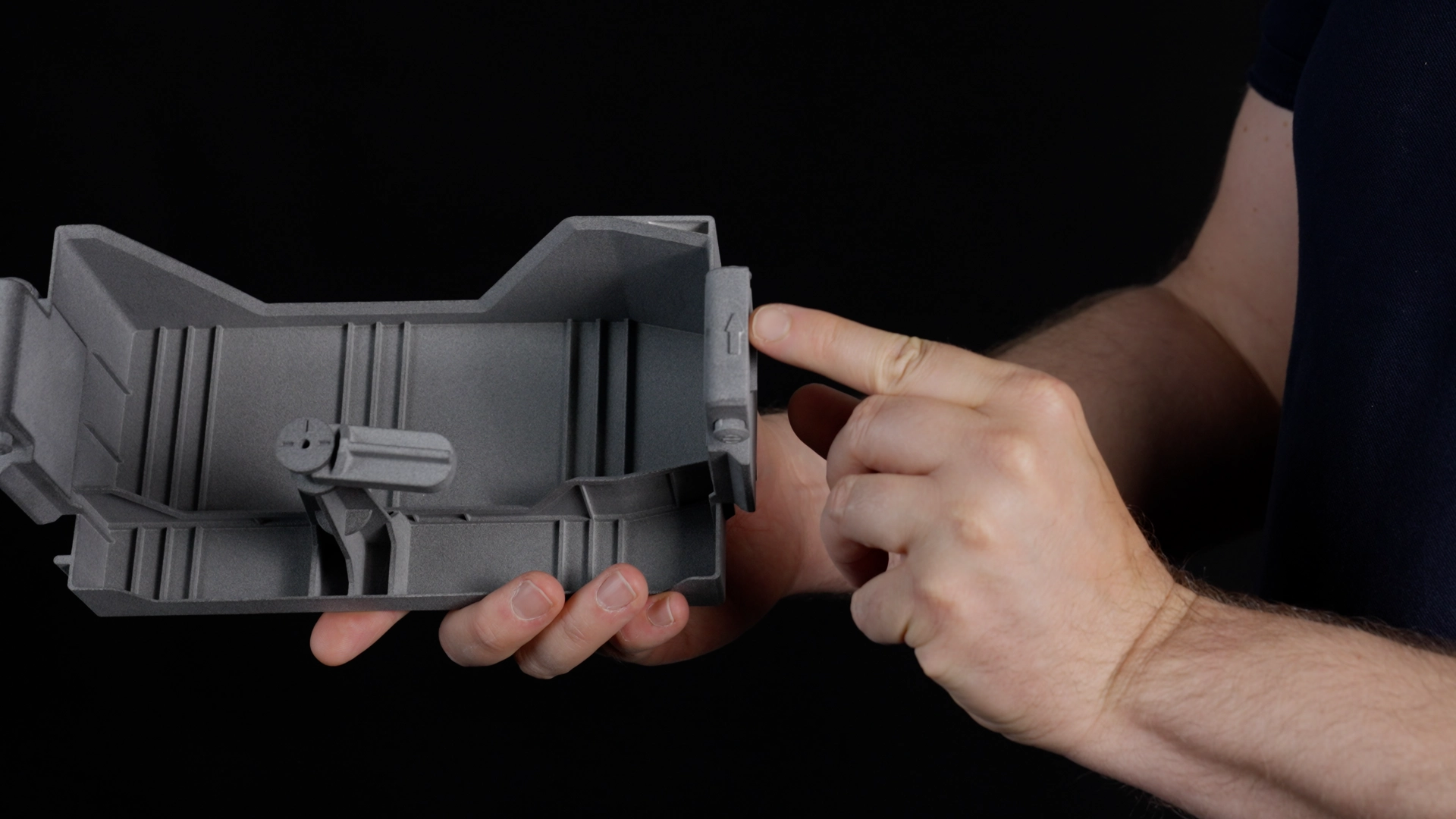
* Similar to the main battery tray, the auxiliary battery holder is shaped to match the bottom plate of the battery.
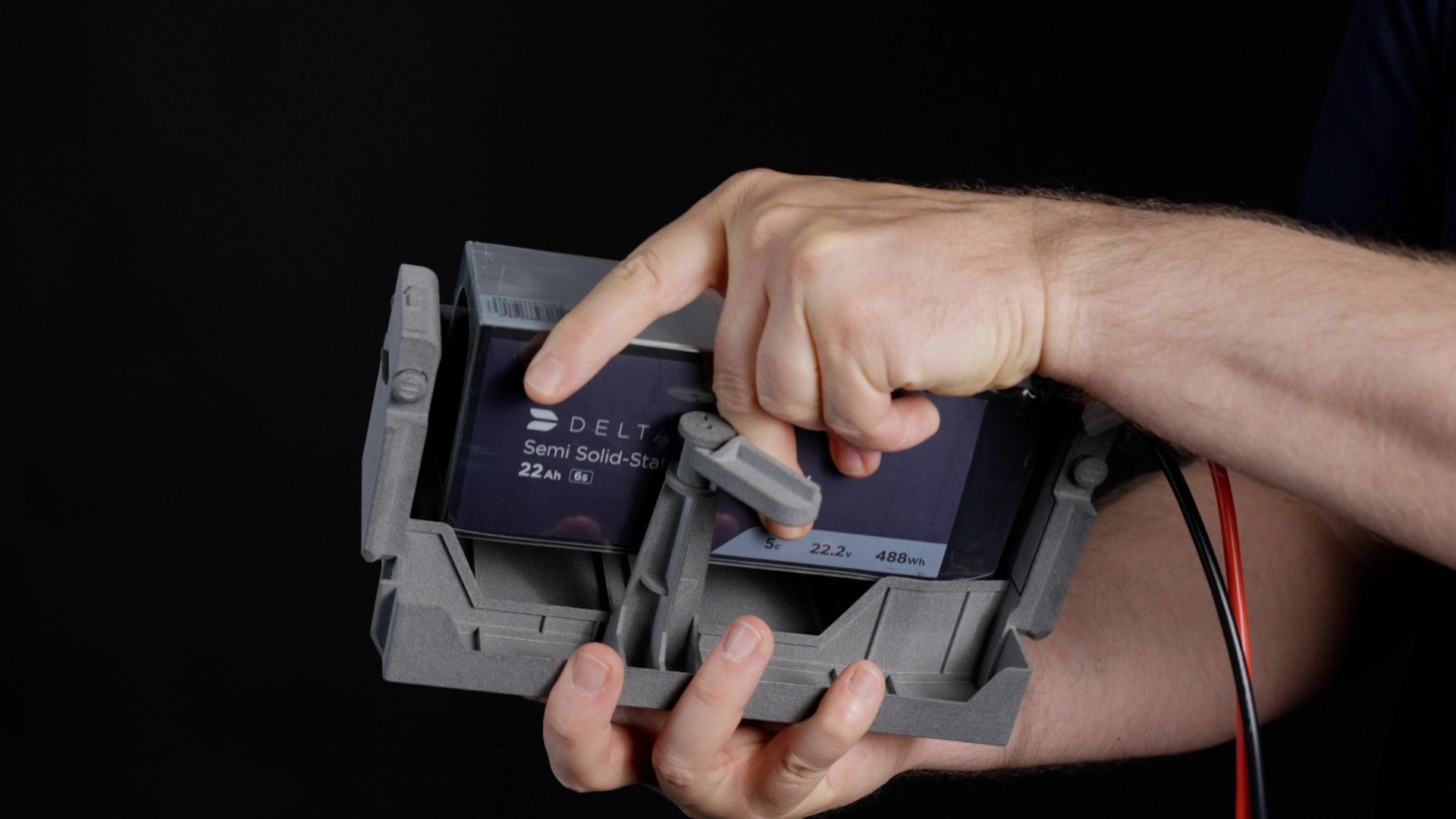
* The auxiliary battery must be positioned to fit properly on the tray. The thicker power cables should exit from the top of the battery and run over it towards the XT90 socket of the DeltaQuad Evo.
* The auxiliary battery holder features a latch mechanism that secures the battery in place. After positioning the battery, rotate the latch 90 degrees until it is aligned above the battery.
## Installing the Auxiliary Battery Payload Box
{% hint style="warning" %}
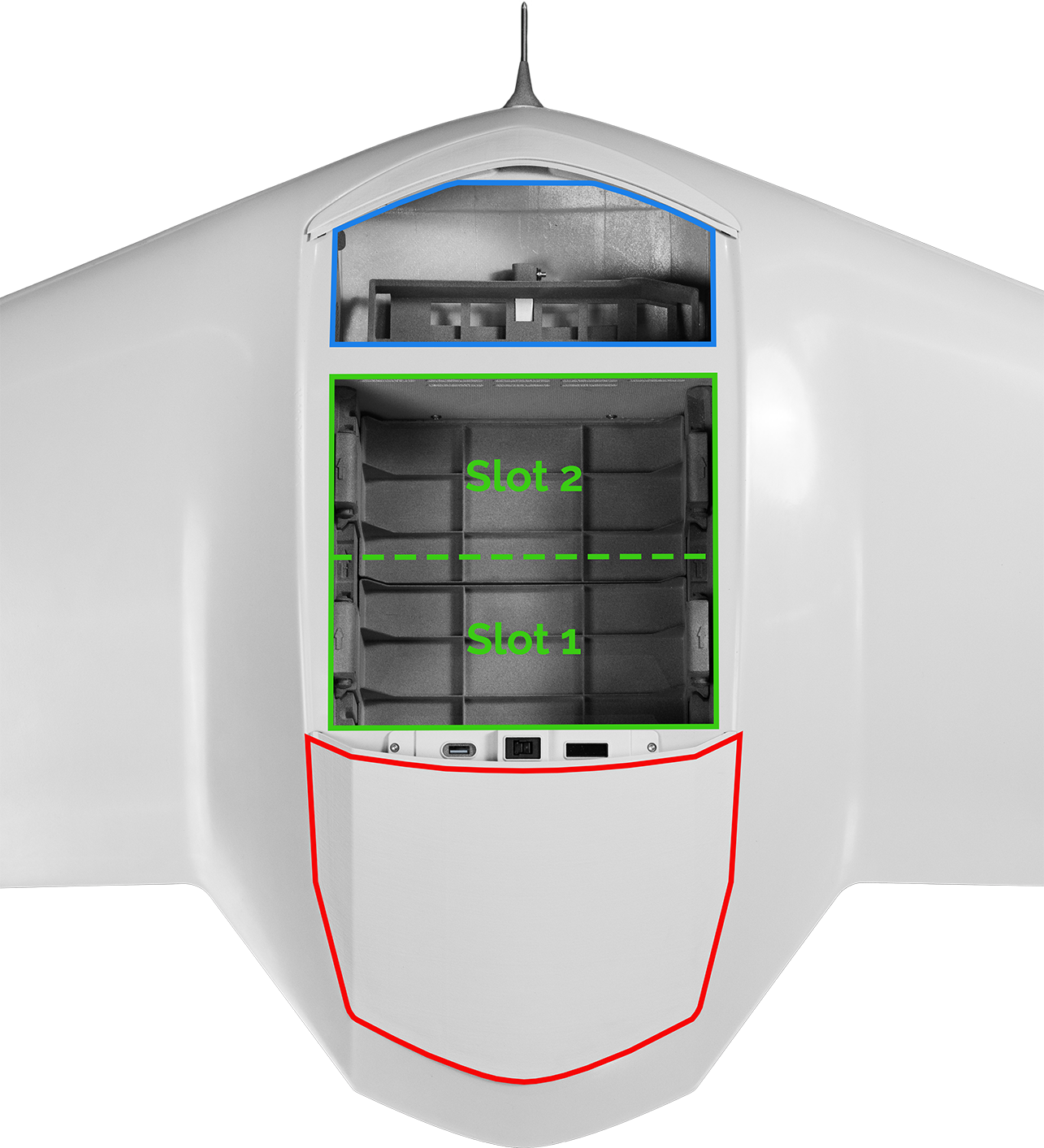
The auxiliary battery payload box must always be installed in **Payload Slot 1**, located at the rear end of the fuselage, as it is the heaviest payload.
{% endhint %}
DeltaQuad Evo Payload Slot Layout
* **Slot 1**: Located at the rear end of the fuselage, closest to the pusher propeller.
* **Slot 2**: Located at the front end of the fuselage, closest to the nose of the vehicle.
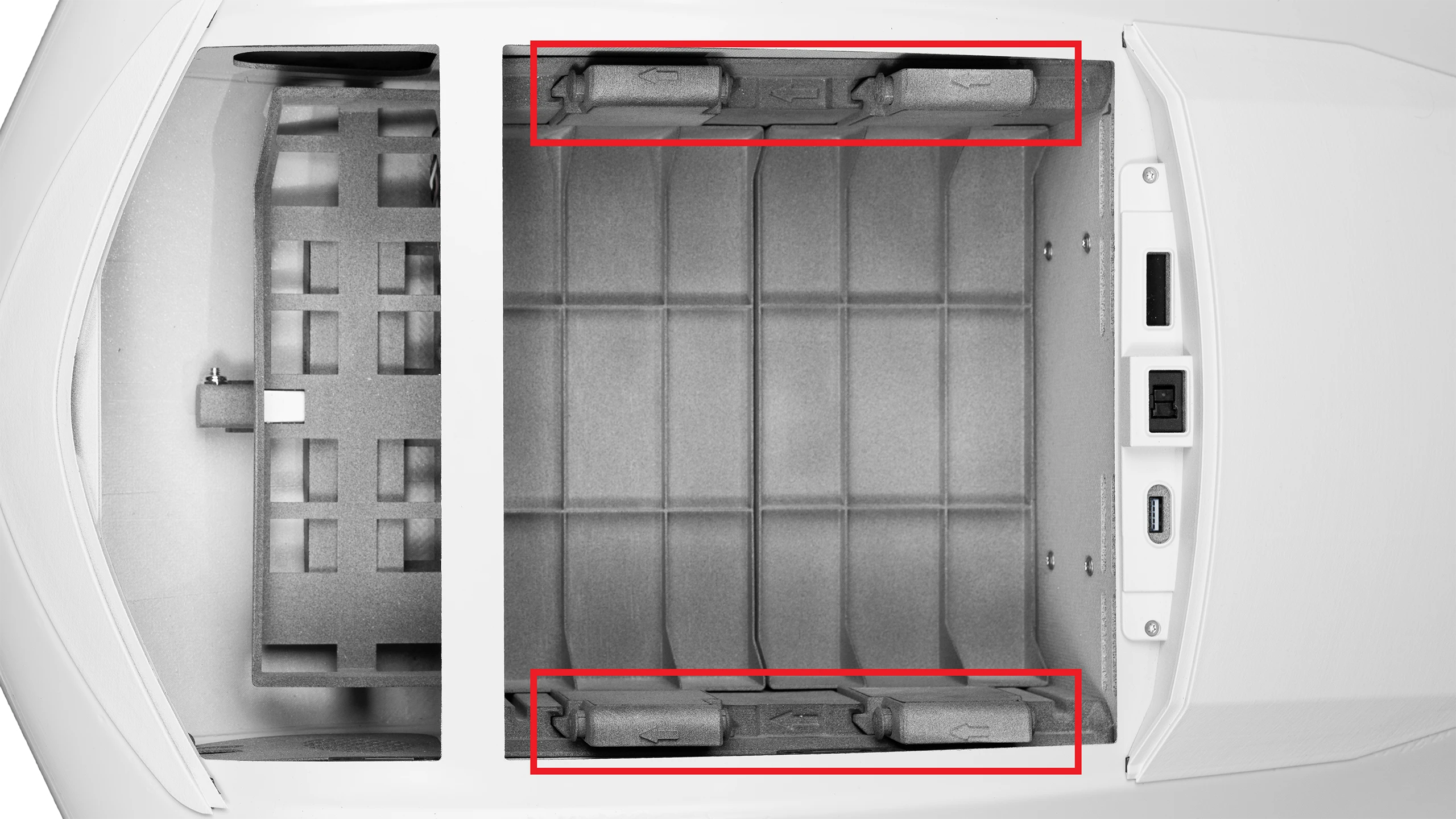
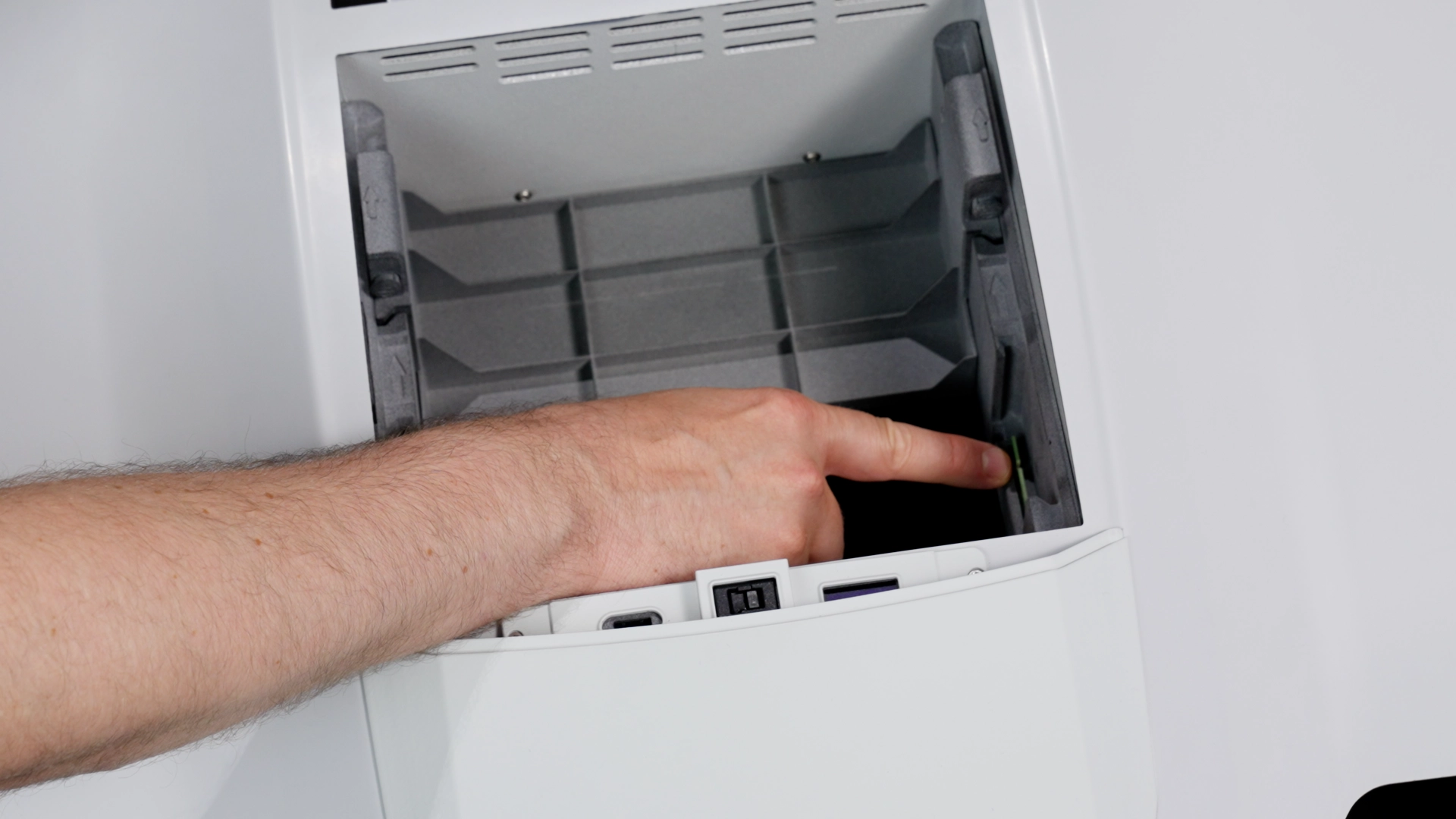
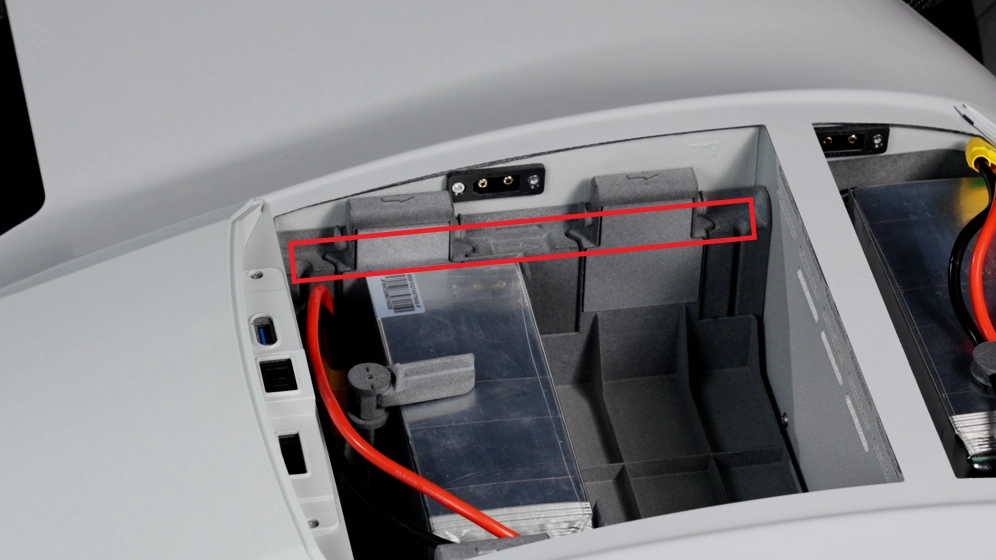
Each payload box features two arrows displayed on top of each handle.
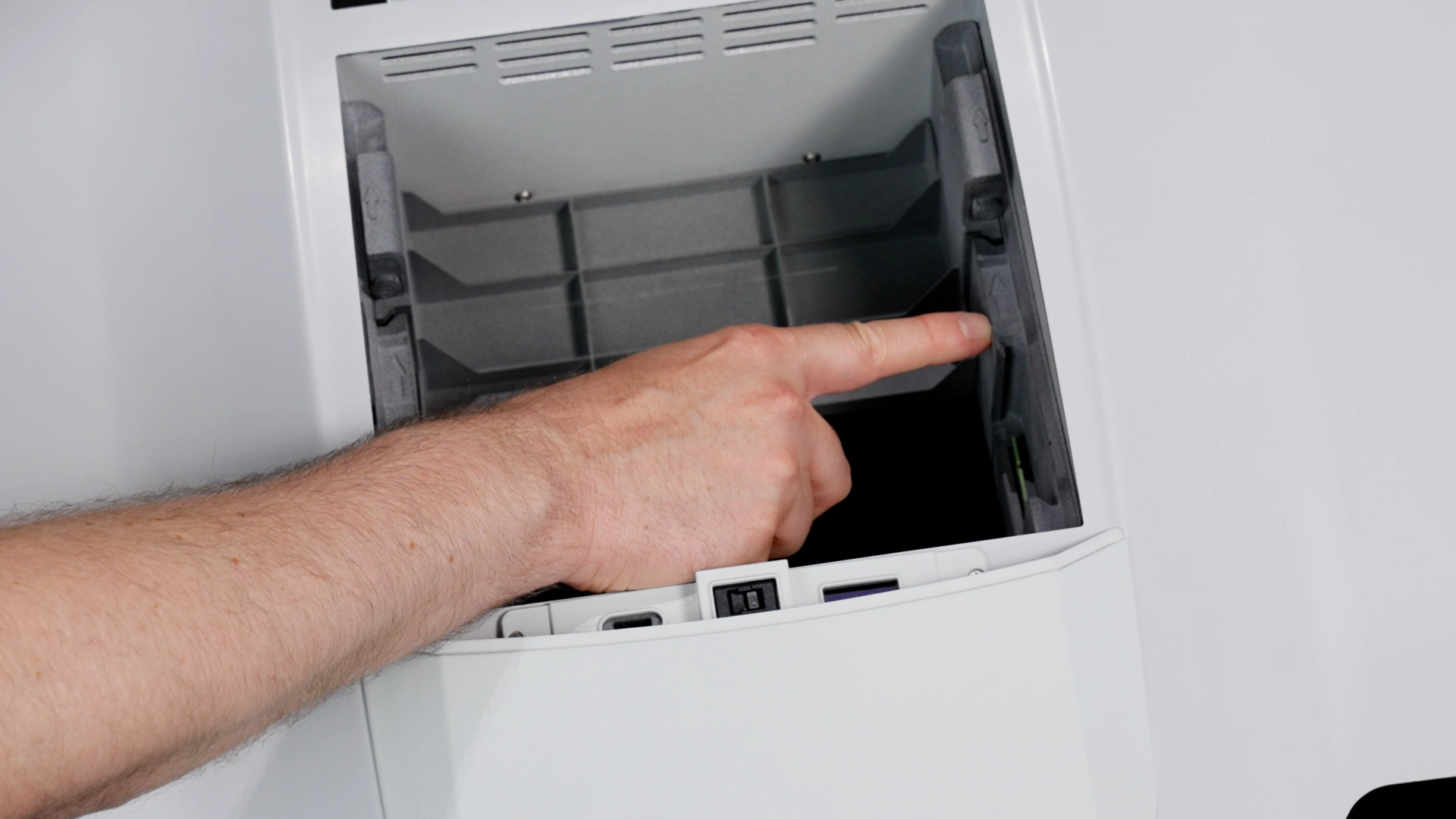
There are corresponding arrows on the left and right sides of the DeltaQuad Evo's payload bay.
The arrows on the payload boxes must be aligned with the arrows in the payload bay.
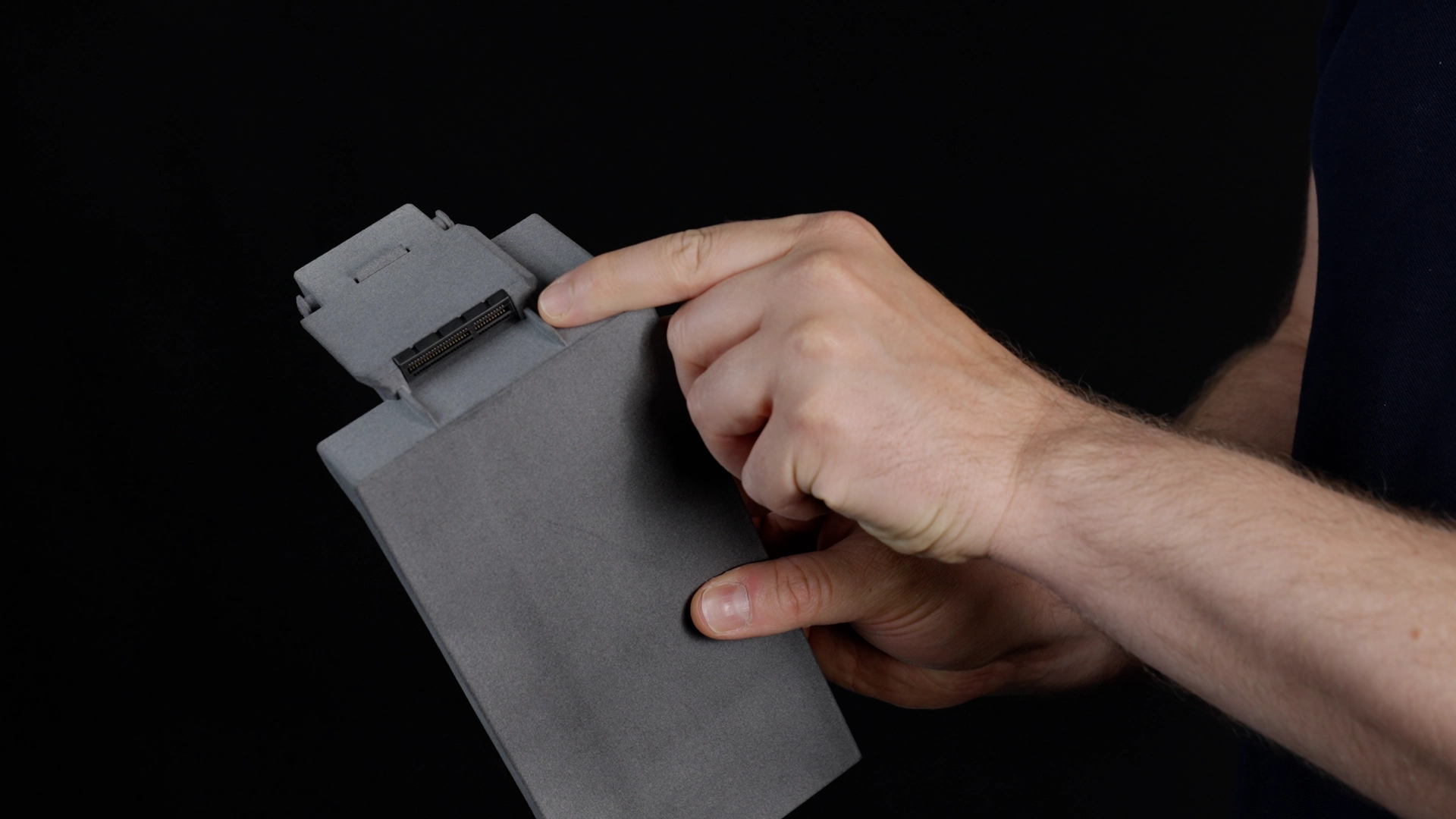
Proper orientation of the payload box is crucial, as its I/O board must align with the corresponding I/O board in the payload slot.
Slide the payload box into the slot.
Push both handles of the payload box down until you hear a click from the locking mechanism, ensuring that the box is securely seated in its slot.
The frame of a properly installed payload box should be flush with the frame of the payload bay.
## Removing a Payload Box
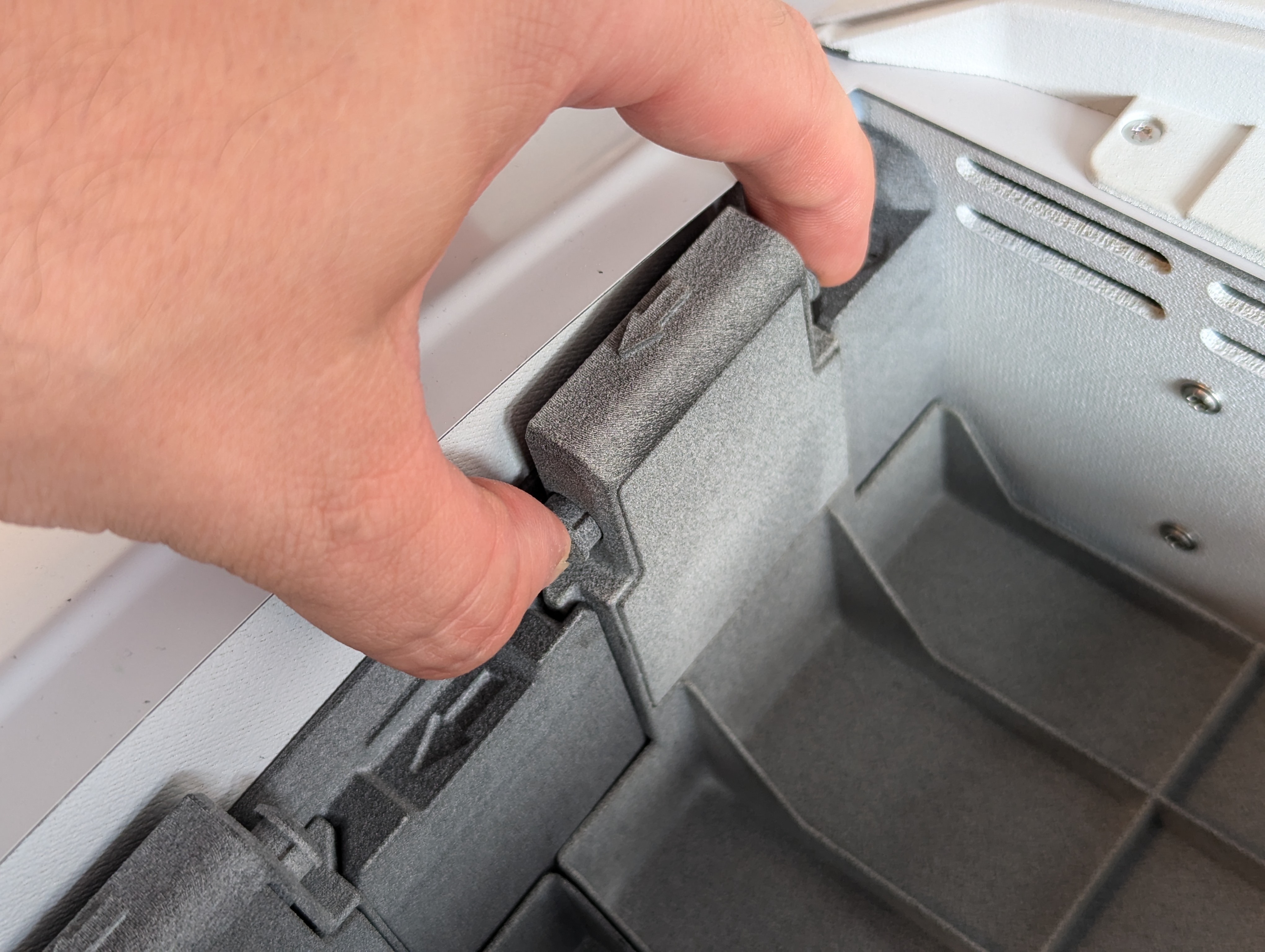
Each payload box has handles with two locking pins positioned opposite each other. To remove the payload box, grasp the handles with both hands, press the locking pins inward, and pull the payload box out.
---
# Agent Instructions
This documentation is published with GitBook. GitBook is the documentation platform designed so that both humans and AI agents can read, navigate, and reason over technical content effectively. Learn more at gitbook.com.
## Querying This Documentation
If you need additional information that is not directly available in this page, you can query the documentation by asking a question.
Perform an HTTP GET request on the following URL with the `ask` and `goal` query parameters:
```
GET https://docs.deltaquad.com/gov/setup/deltaquad-evo-battery/auxiliary-battery-placement.md?ask=&goal=
```
`ask` is the immediate question: it should be specific, self-contained, and written in natural language.
`goal` is what the user is ultimately trying to achieve, the reason they need the answer. Sharing it helps GitBook give you a better, more relevant answer. A goal is most helpful when it describes the outcome the user wants rather than restating the question. For example, with `ask=how do I create an API token`, a goal like `automate deployments from our CI pipeline` lets GitBook tailor the answer to that use case.
The response will contain a direct answer to the question and relevant excerpts and sources from the documentation.
Use this mechanism when the answer is not explicitly present in the current page, you need clarification or additional context, or you want to retrieve related documentation sections.