> For the complete documentation index, see [llms.txt](https://docs.deltaquad.com/gov/llms.txt). Markdown versions of documentation pages are available by appending `.md` to page URLs; this page is available as [Markdown](https://docs.deltaquad.com/gov/maintenance/flight-logs.md).
# Flight Logs
This chapter discusses flight logs and outlines three methods for retrieving log files from the DeltaQuad Evo.
The DeltaQuad Evo records onboard logs containing extensive information about each flight.
These logs serve multiple purposes, including flight performance analysis and troubleshooting. By examining them, you can assess the drone’s operational efficiency, identify potential issues, and make data-driven decisions to enhance future flights. The following three sections discuss how to retrieve the log files.
* [Sharing log files via Auterion Suite](/gov/maintenance/flight-logs/sharing-log-files-via-auterion-suite.md)
* [Downloading log files via the GCS](/gov/maintenance/flight-logs/downloading-log-files-via-the-gcs.md)
* [Downloading a log file directly from the DeltaQuad Evo](/gov/maintenance/flight-logs/downloading-log-files-via-usb.md)
***
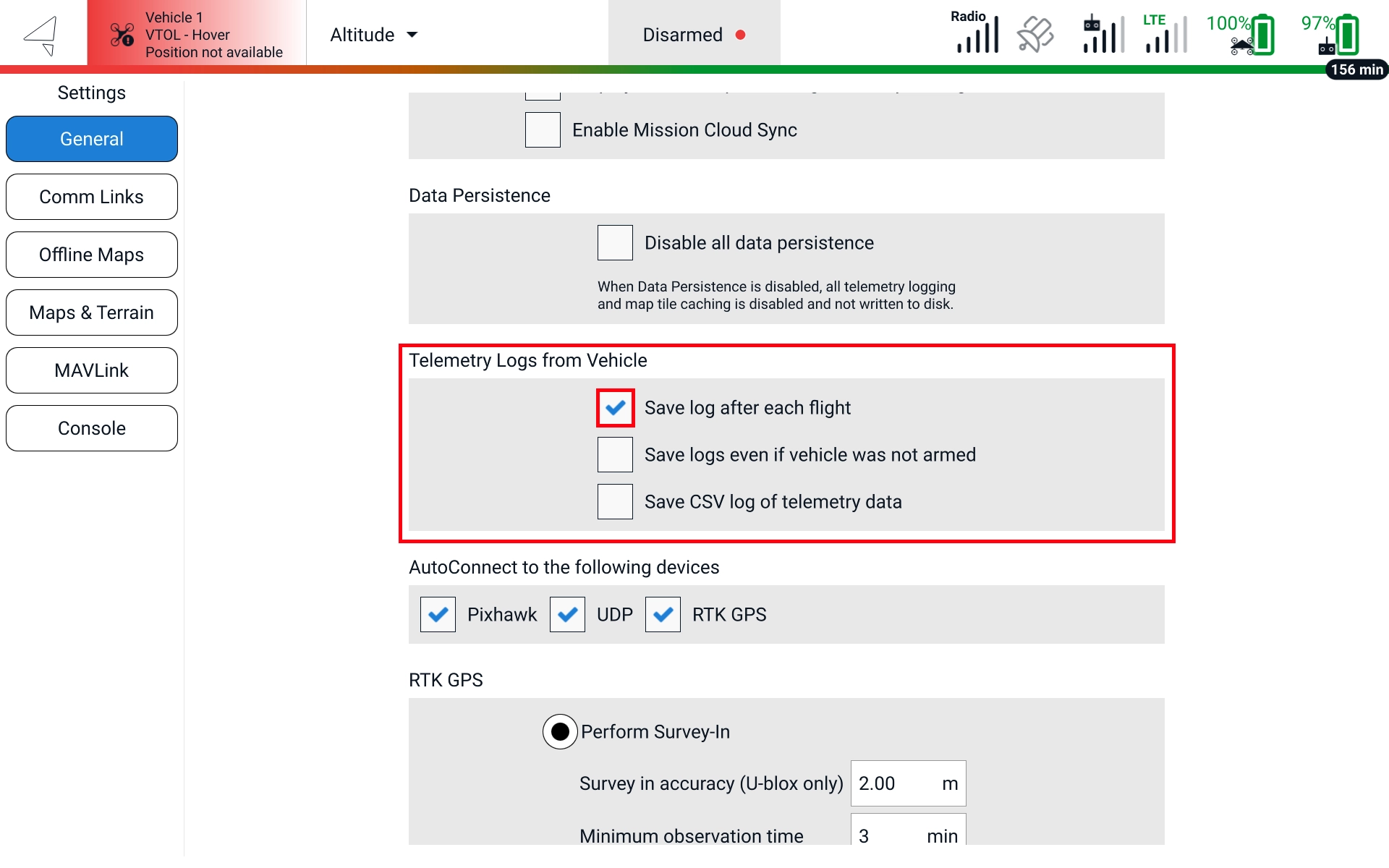
Basic telemetry logging in AMC is enabled by default. To disable it, open AMC, go to **AMC Menu -> Settings -> General**. Under **Telemetry Logs from Vehicle** disable **Save log after each flight.**
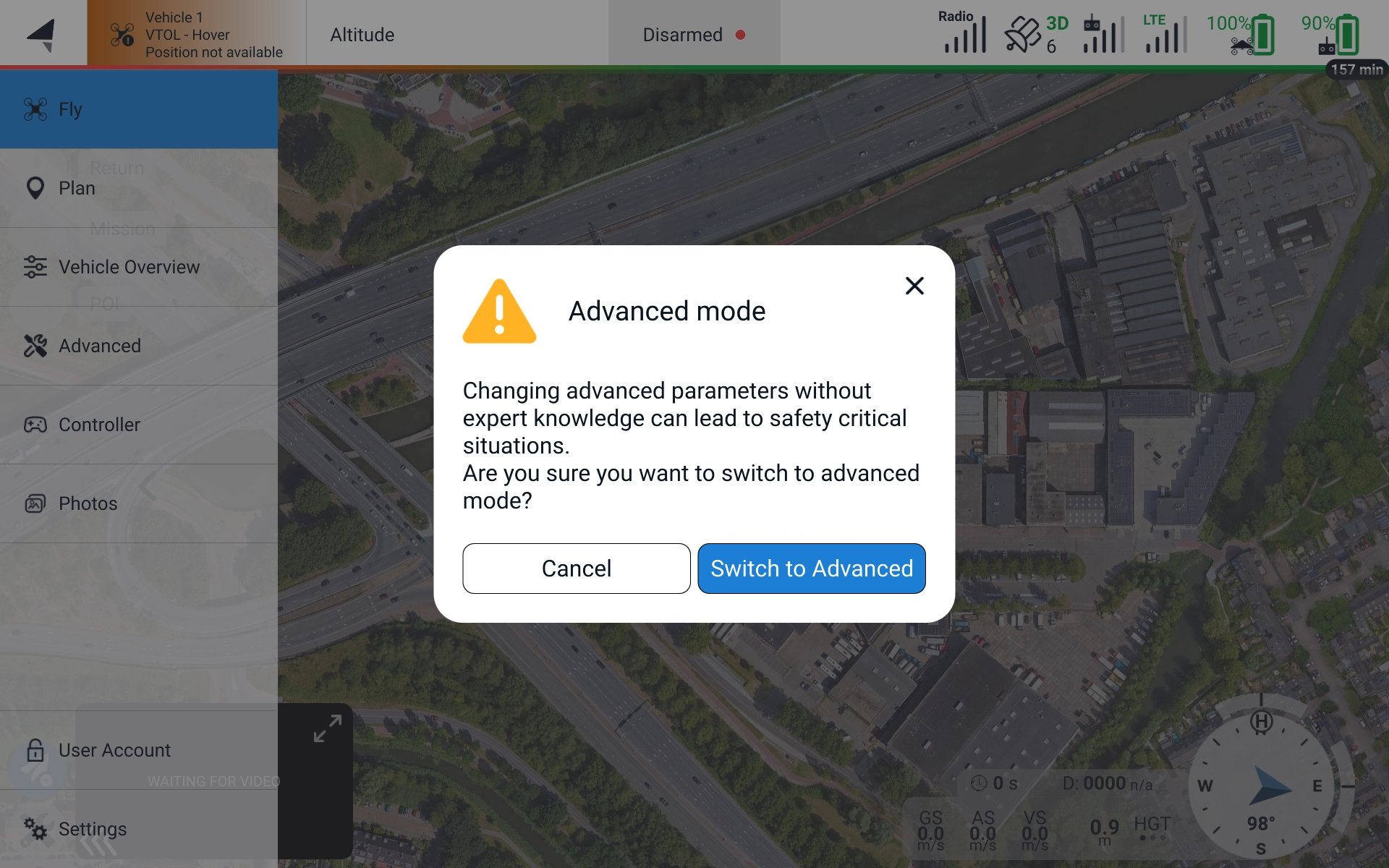
On the DeltaQuad Evo TAC/TAC+, more detailed logging on the flight controller is set by default to log without location data and is not encrypted. To turn this logging off or to set it to also log location-related data AMC must run in **Advanced Mode** (click 5 times on the **AMC Menu** to get the option)**.**
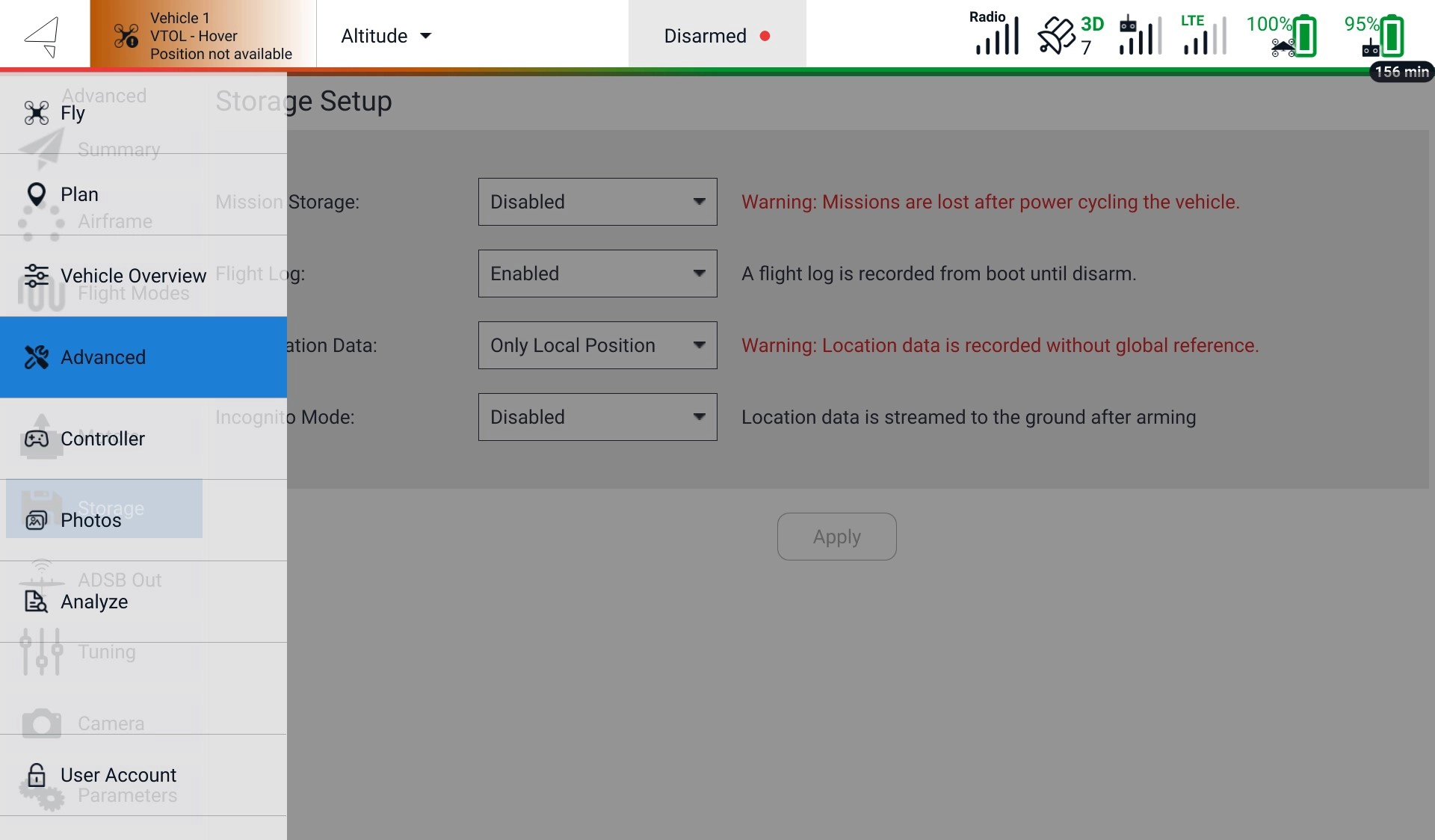
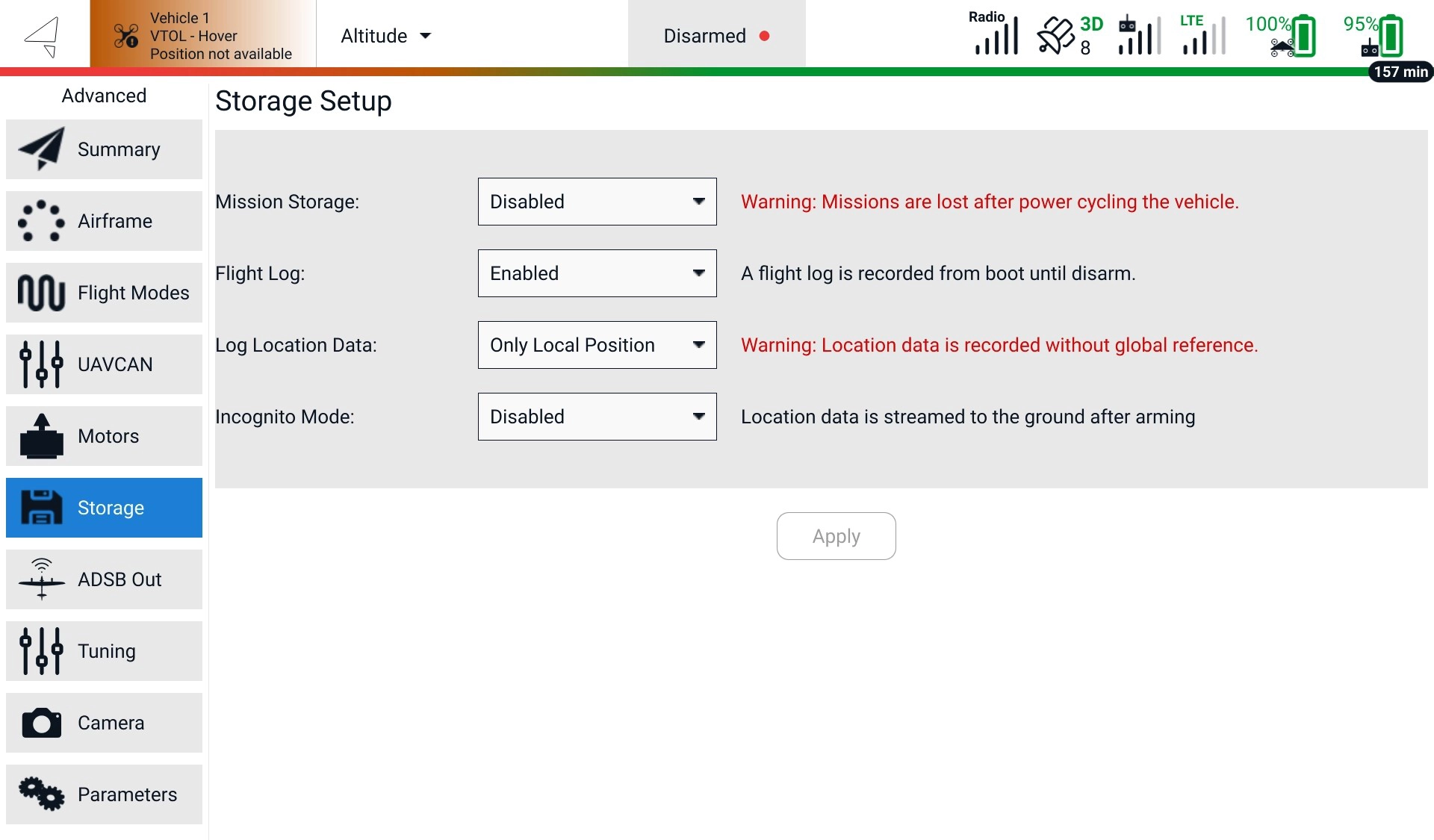
Go to **AMC Menu** -> **Advanced** -> **Storage** while AMC is connected to the vehicle. Note that this setting persists through vehicle reboots.
**Log Location Data** can be set to **Enabled**, **Disabled**, and **Only Local Position**.
{% hint style="warning" %}
Warranty claims will only be considered valid and processed if accompanied by the relevant log files documenting the incident in question. Failure to provide the necessary log files may result in the denial of the warranty claim. By submitting a warranty request, you acknowledge and agree that the presence of log files is a mandatory requirement for warranty evaluation and potential fulfillment.
{% endhint %}
---
# Agent Instructions
This documentation is published with GitBook. GitBook is the documentation platform designed so that both humans and AI agents can read, navigate, and reason over technical content effectively. Learn more at gitbook.com.
## Querying This Documentation
If you need additional information that is not directly available in this page, you can query the documentation by asking a question.
Perform an HTTP GET request on the following URL with the `ask` and `goal` query parameters:
```
GET https://docs.deltaquad.com/gov/maintenance/flight-logs.md?ask=&goal=
```
`ask` is the immediate question: it should be specific, self-contained, and written in natural language.
`goal` is what the user is ultimately trying to achieve, the reason they need the answer. Sharing it helps GitBook give you a better, more relevant answer. A goal is most helpful when it describes the outcome the user wants rather than restating the question. For example, with `ask=how do I create an API token`, a goal like `automate deployments from our CI pipeline` lets GitBook tailor the answer to that use case.
The response will contain a direct answer to the question and relevant excerpts and sources from the documentation.
Use this mechanism when the answer is not explicitly present in the current page, you need clarification or additional context, or you want to retrieve related documentation sections.