> For the complete documentation index, see [llms.txt](https://docs.deltaquad.com/gov/llms.txt). Markdown versions of documentation pages are available by appending `.md` to page URLs; this page is available as [Markdown](https://docs.deltaquad.com/gov/deltaquad-evo-payloads/aerial-payload-deployment-systems.md).
# Aerial Payload Deployment Systems
This chapter discusses the automation payloads available for the DeltaQuad Evo.
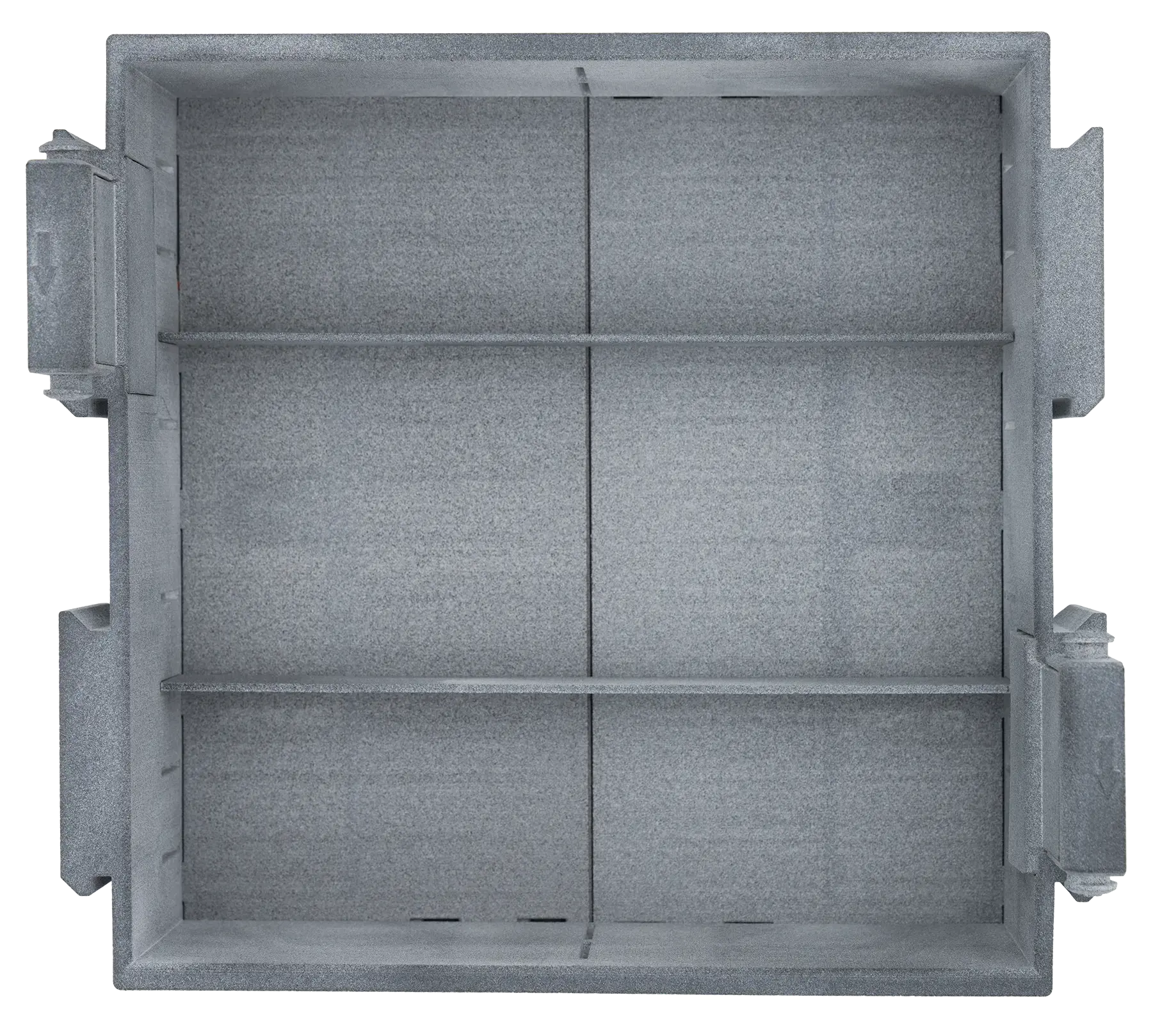
DeltaQuad's Aerial Payload Deployment Systems (APDS) comes in two versions.
## Single APDS
* Single APDS for one larger cargo drop or two smaller cargo drops.
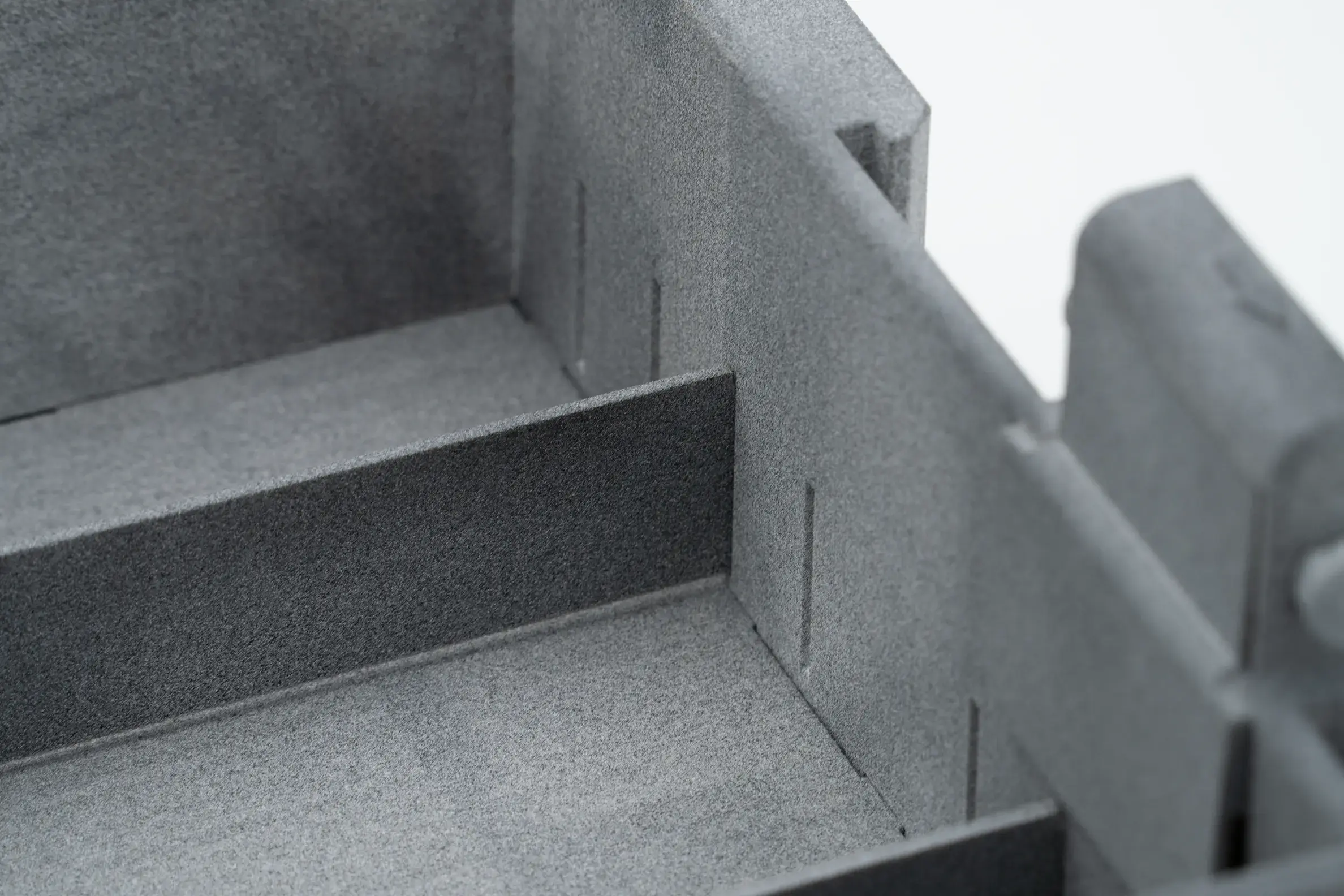
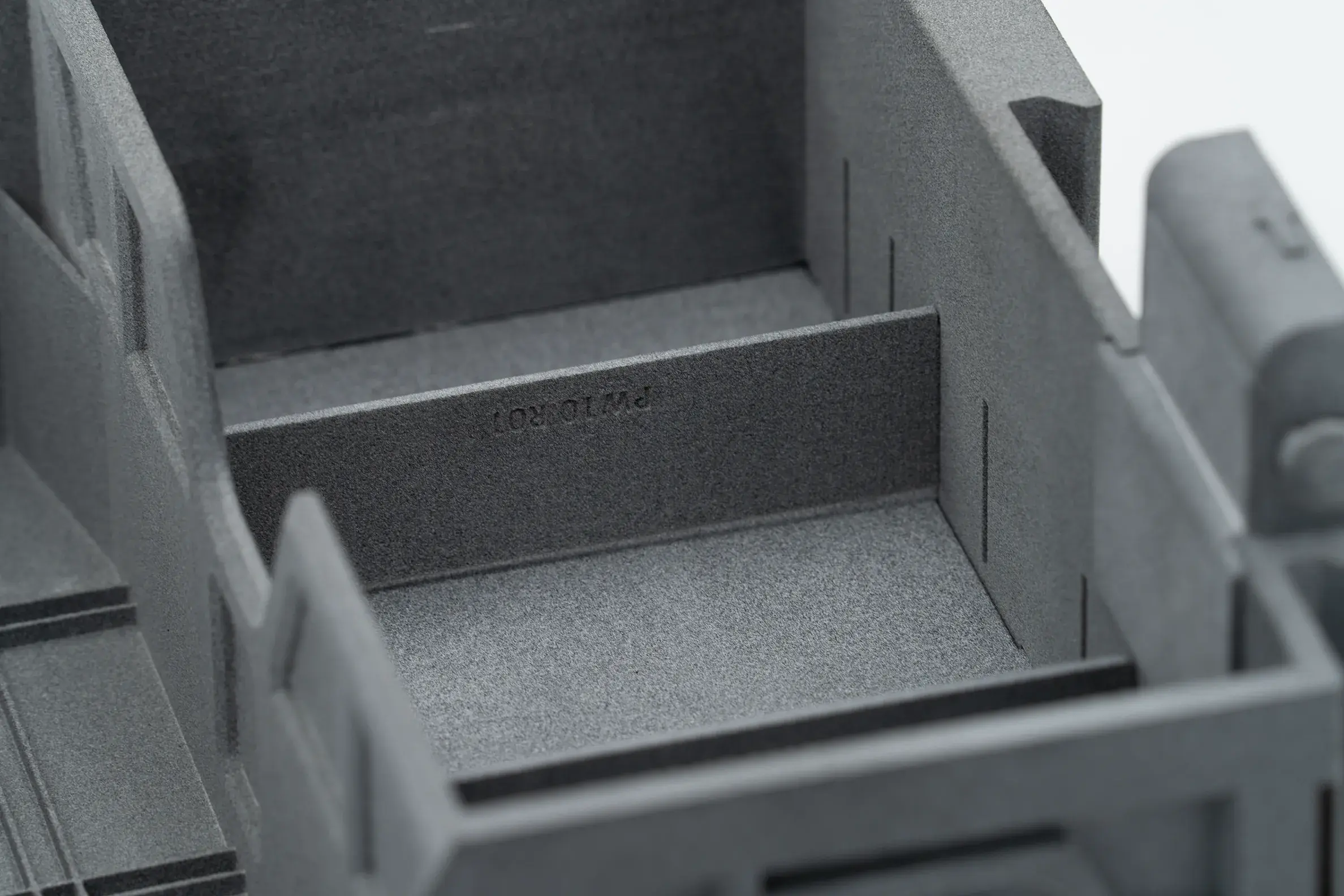
* The **dividers** can be used to either center a larger cargo or divide the payload area into two separate sections, allowing for the dropping of two cargos at different locations.
* The total maximum cargo weight for the single APDS is **2.5 kg**
***
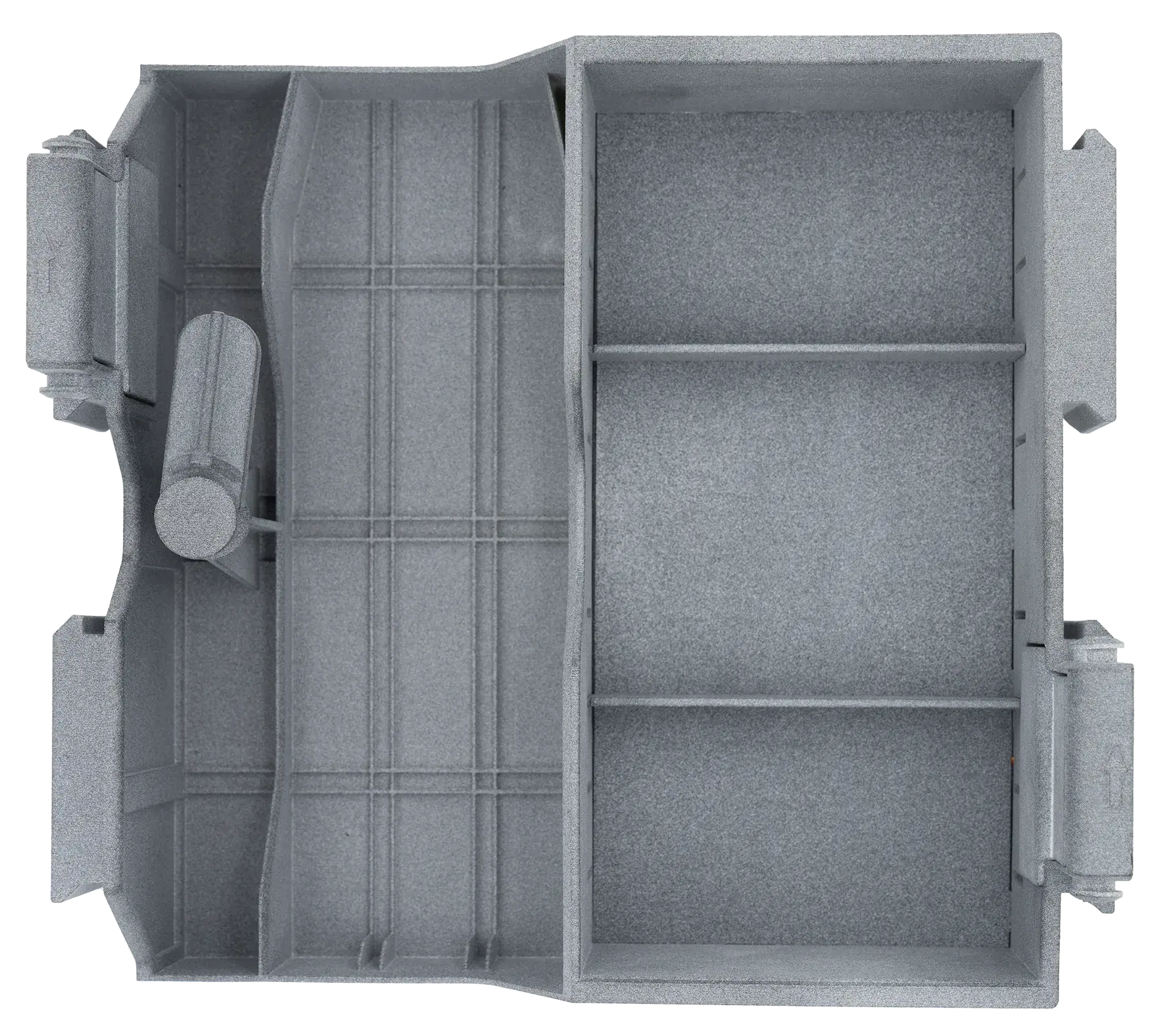
## APDS with Auxilliary Battery
* APDS with an auxiliary battery provides extended flight time, increased range, and the possibility of one cargo drop.
* The **dividers** can be used to center the cargo within the bay.
* The maximum cargo weight for the APDS with auxiliary battery is **1 kg.**
* For more information about placing the auxiliary battery, please read the details [here](/gov/setup/deltaquad-evo-battery/auxiliary-battery-placement.md).
***
## Installation
Both payload boxes are designed in a dual payload configuration, occupying the space of **Payload Slot 1** and **Payload Slot 2**.
DeltaQuad Evo Payload Slot Layout
* **Slot 1:** Located at the rear end of the fuselage, closest to the pusher propeller.
* **Slot 2:** Located at the front end of the fuselage, closest to the nose of the vehicle.

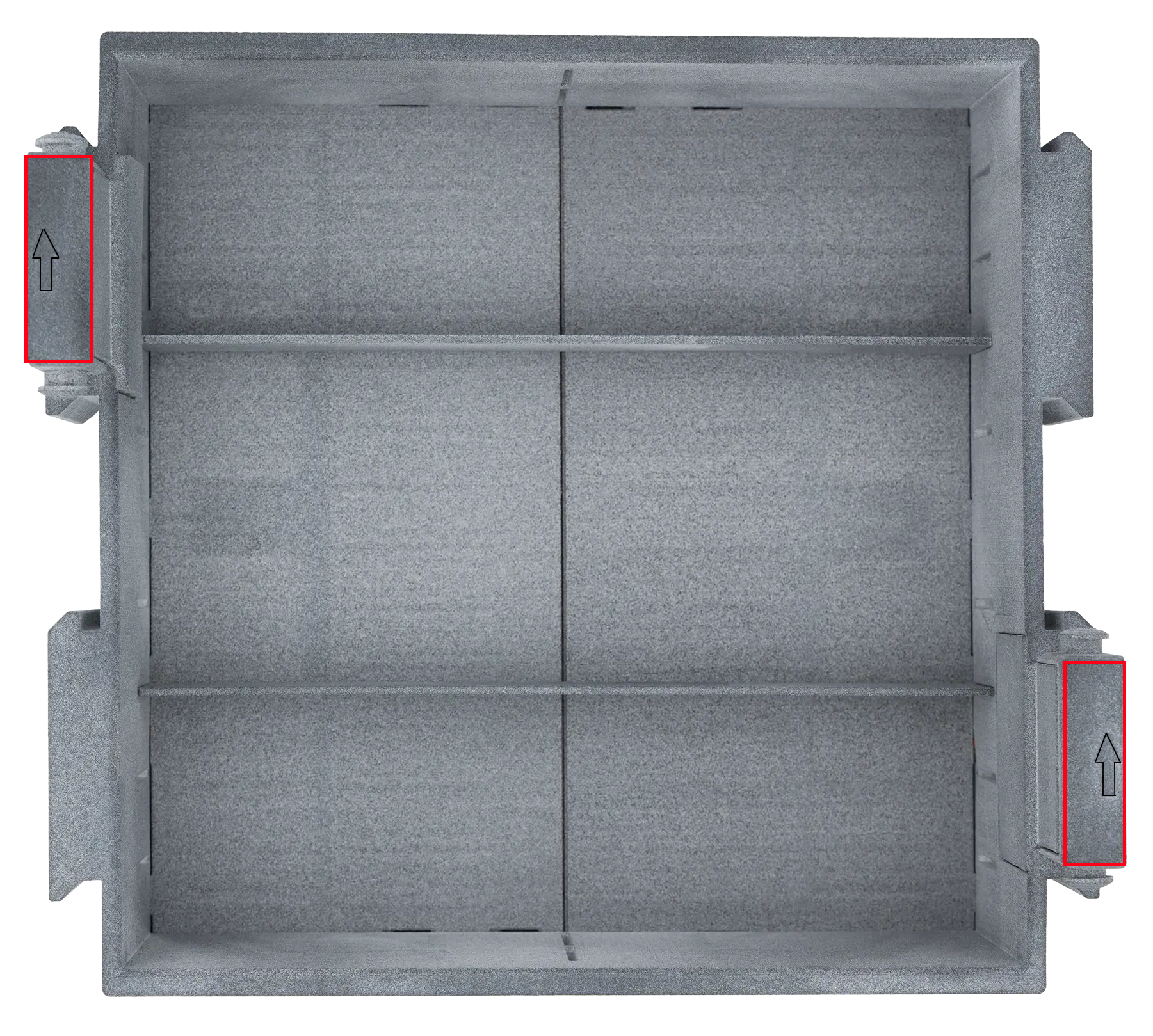
* Each payload shows two **arrows** on top of two handles.
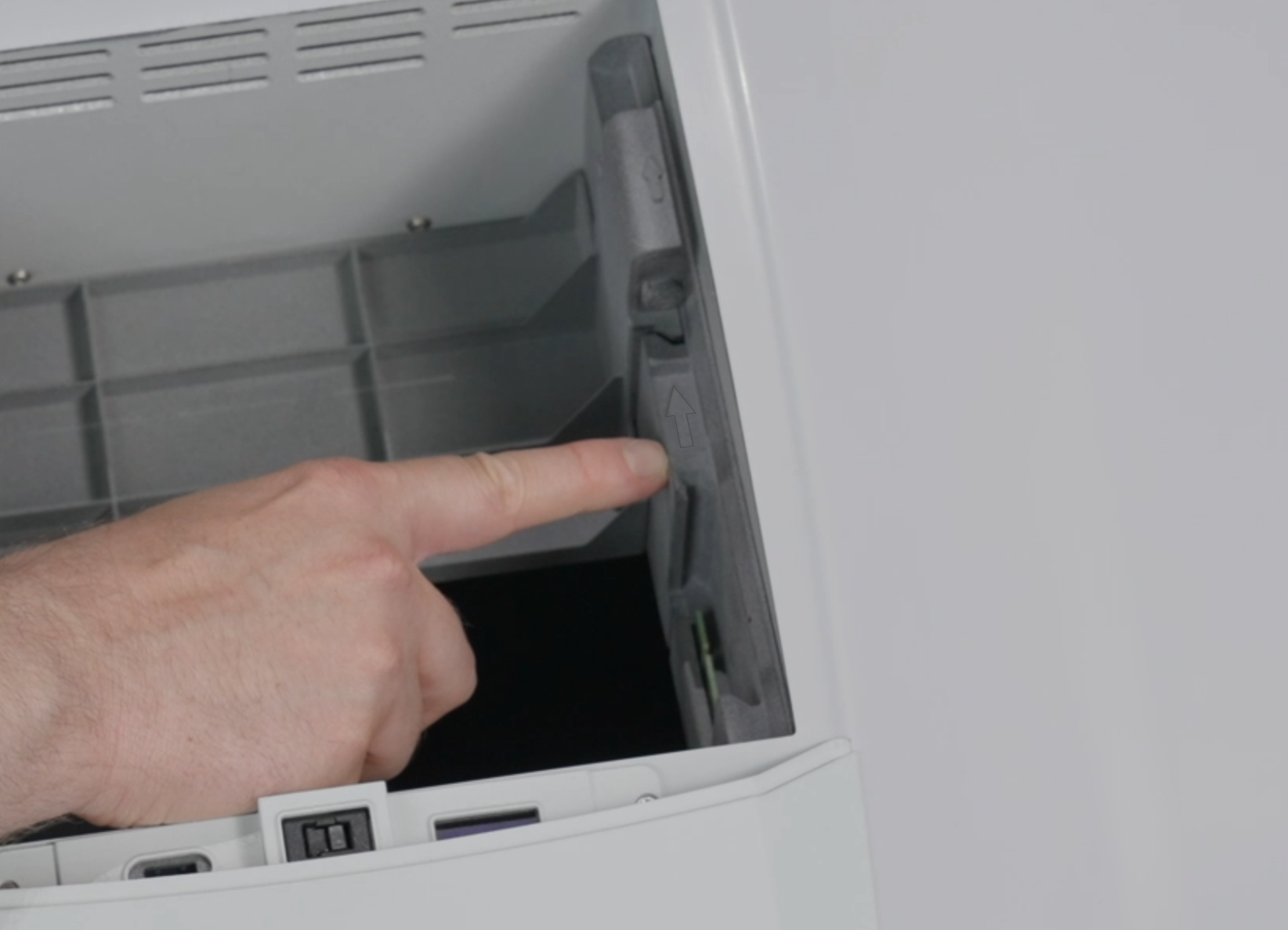
* There are corresponding **arrows** on both the left and right sides of the DeltaQuad Evo's payload bay.
* The arrows on the payload boxes must be aligned with the arrows in the payload bay.
* Install the APDS and place the cargo **centered** inside the APDS before going through the [**Pre-Flight Check**](/gov/flight/pre-flight-checks.md)[**s**](/gov/flight/pre-flight-checks.md). Use the provided dividers to center the cargo if necessary.
* If the **APDS with the auxiliary battery** is in use, please review the section on how to install it [here](/gov/setup/deltaquad-evo-battery/auxiliary-battery-placement.md).
***
## Mission Planning
* We recommend an altitude of **40 meters** when triggering the APDS doors for the best precision.
* For optimal flight stability and best results, it is recommended to plan the mission so that the vehicle flies **into the wind** when the APDS is triggered.
* To use the APDS, a mission plan must be created. Plan a VTOL Takeoff and Transition, along with Intermediate Waypoints, up to the location where you wish to open de APDS doors. Please review the instructions for planning a [**VTOL Takeoff, Transition**](/gov/flight/planning-a-mission/mission-start-action.md), and [**Intermediate Waypoints**.](/gov/flight/planning-a-mission/set-intermediate-waypoints.md)
* To program the command for triggering the APDS doors, an additional waypoint must be planned and set as a **Custom Action Command**.
***
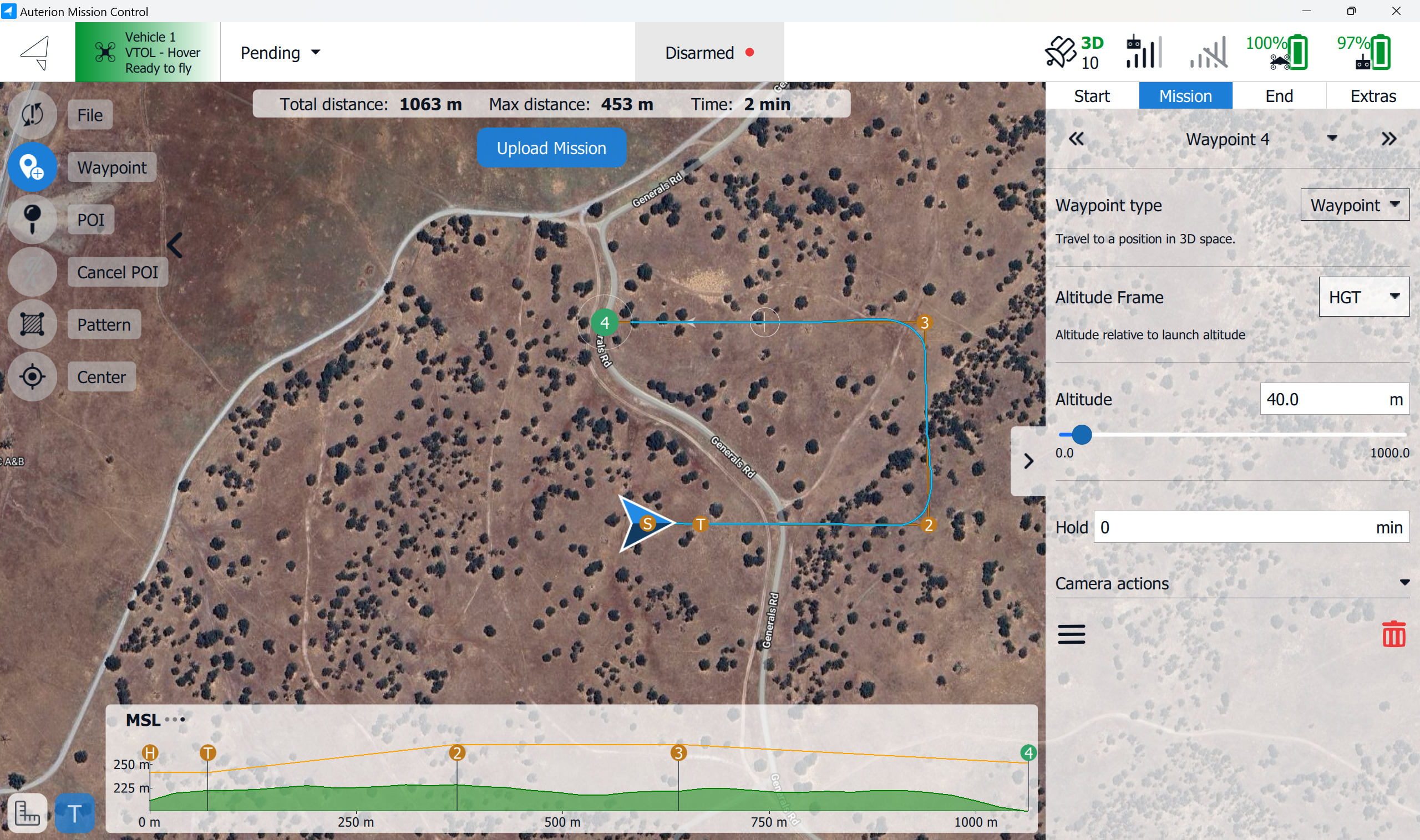
1. Create a waypoint at the location and altitude where the APDS doors should be triggered**.** In the example below, the doors should open at **waypoint 4**.
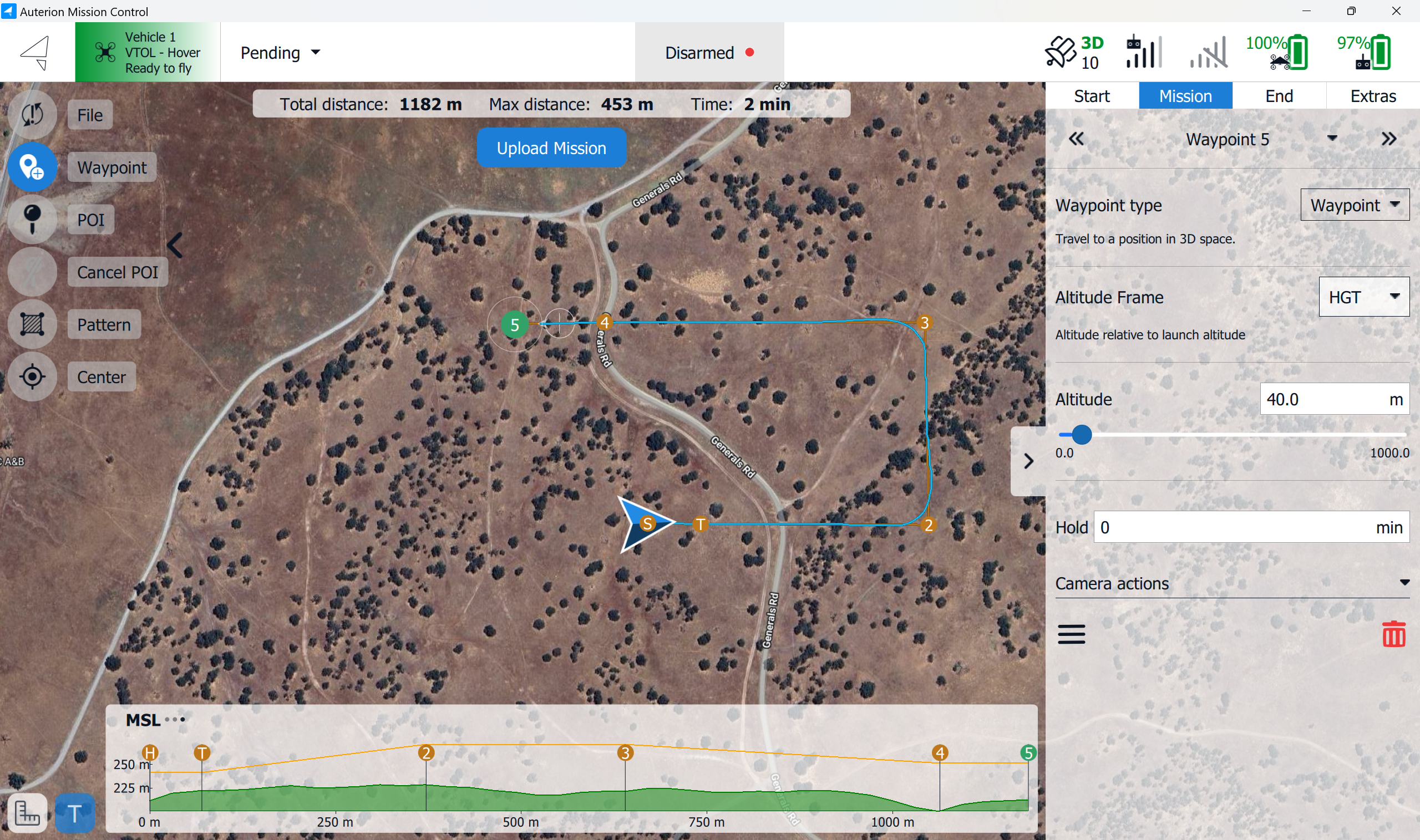
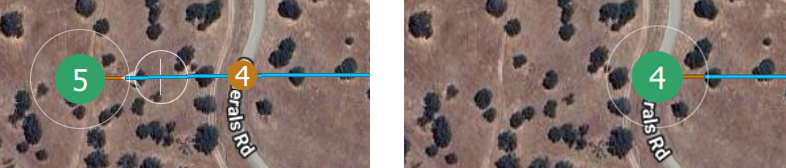
2. Create another **waypoint** anywhere on the **map**.
3. In the **Mission Editor**, on the right side of the screen, click on the **Waypoint type (Waypoint)**.
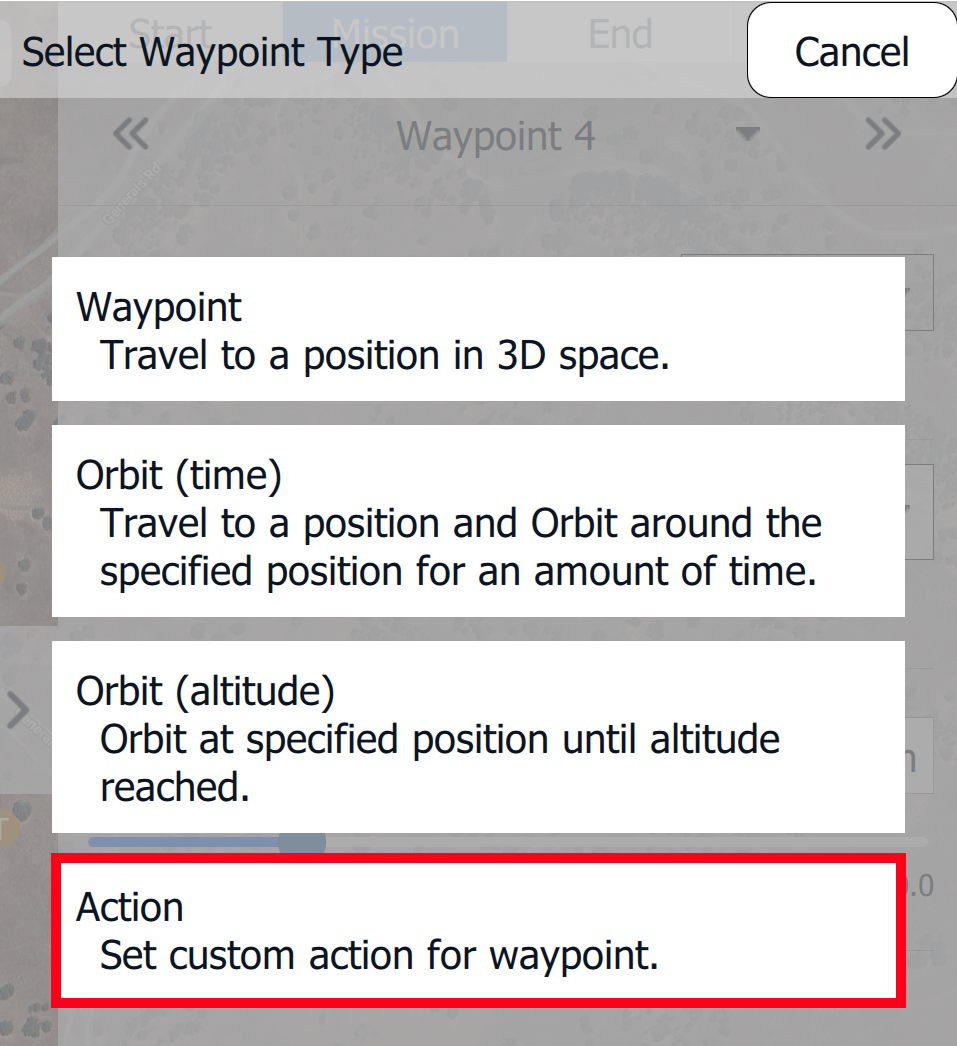
4. A menu will open, allowing you to **Select** a **Waypoint Type,** choose **Action.**
5. As soon as the **Waypoint Type** is set to **Action**, waypoint 5 will be attached to waypoint 4 as a **Custom Action.**
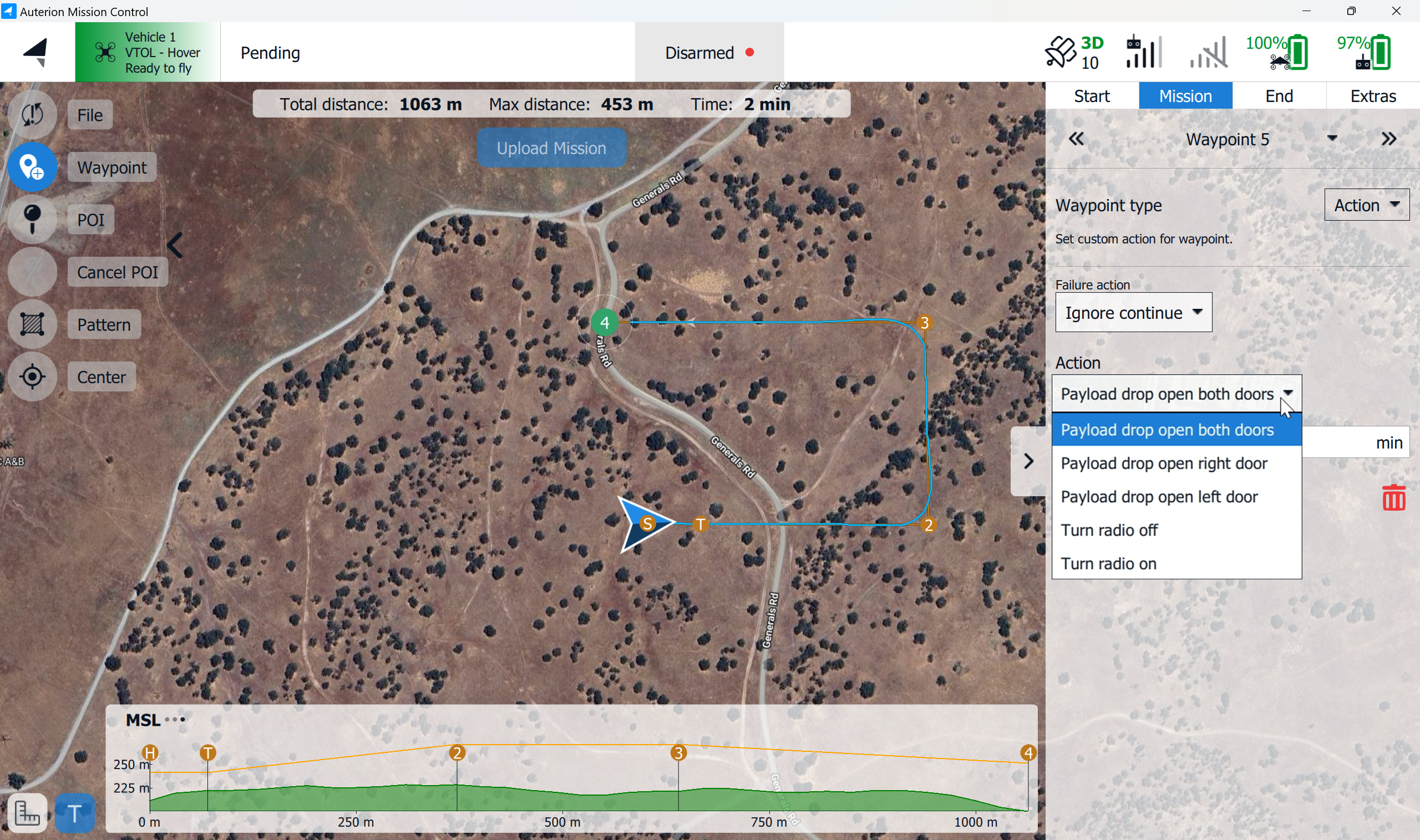
6. In the **Mission Editor**, the **Action** tab is available on the right side of the screen. When you click on it, a drop-down menu will appear. Select **Payload drop open both doors**.
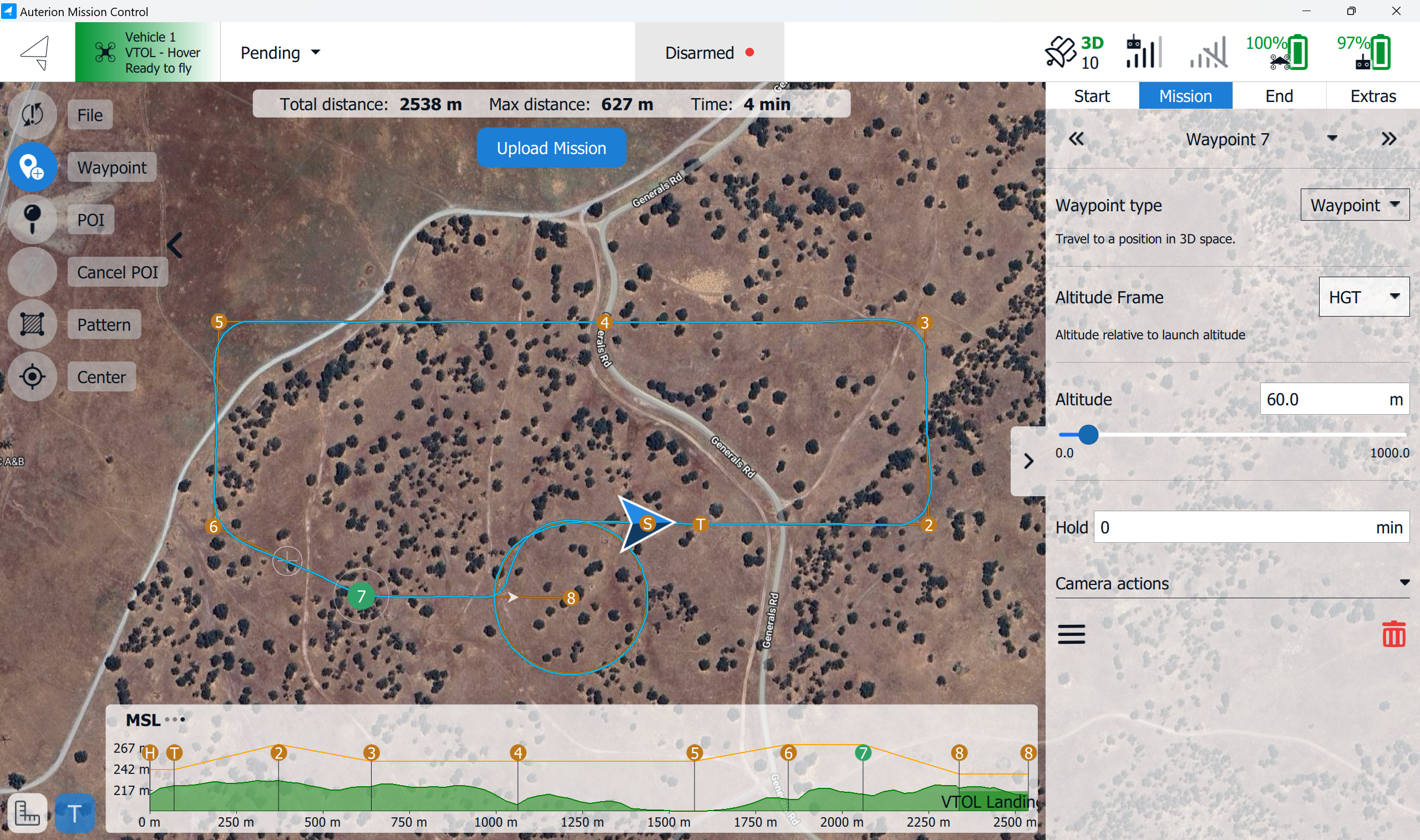
7. We have now planned a payload drop at waypoint 4 at an altitude of 40 meters. Finish the mission with the subsequent waypoints and a landing pattern.
* Waypoint 4 has an altitude of 40 meters. For improved precision, waypoints 3 and 5 can also be planned at the same altitude. This allows the vehicle to maintain a consistent altitude before and after the drop, aiding in the precision of the drop.
* For a less visible approach and a fast retreat, waypoints 3 and 5 can be set at a higher altitude.
***
## Custom Actions - Single APDS
{% hint style="info" %}
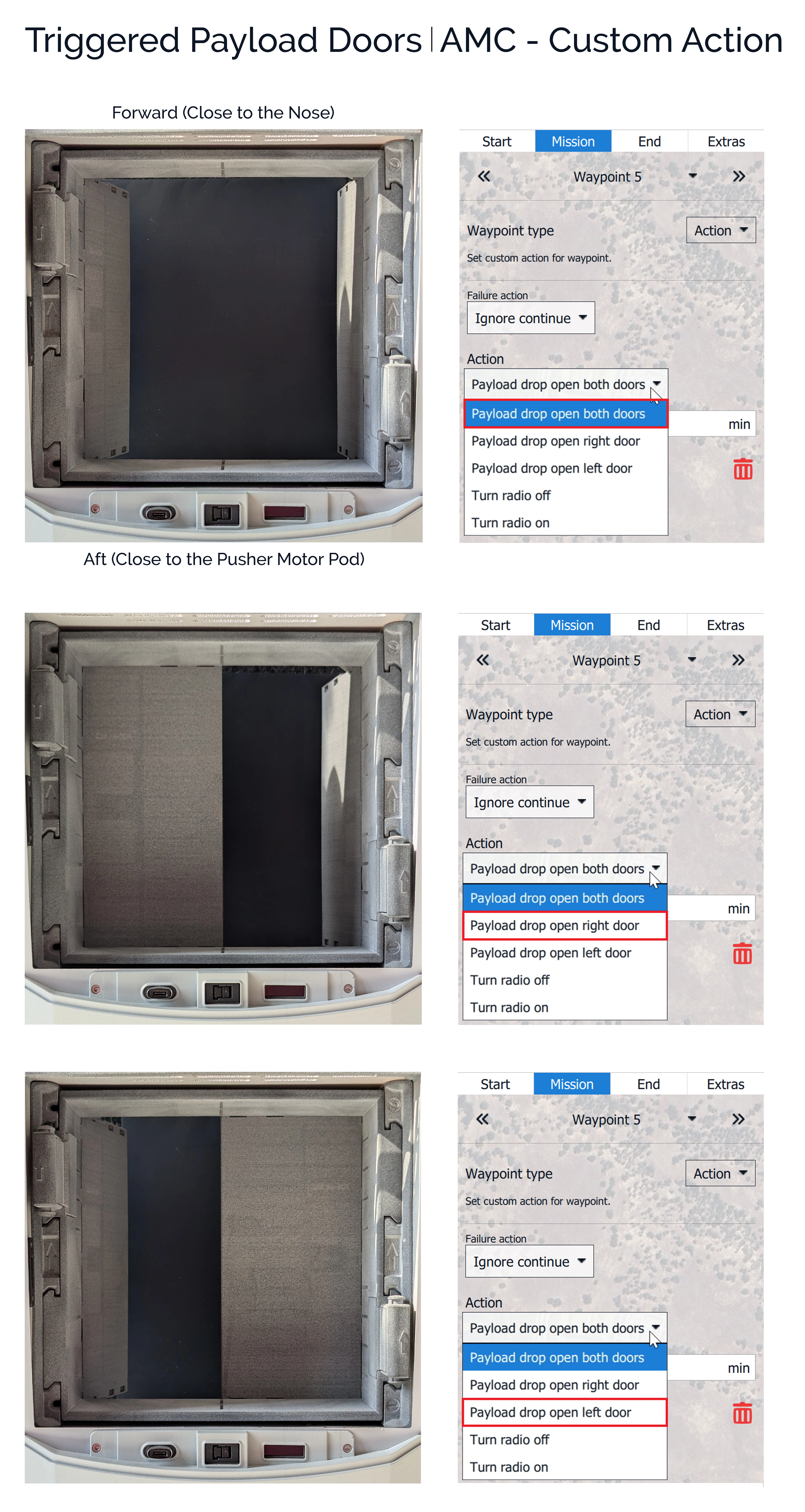
For the **Single APDS**, three custom actions are available:
* Payload drop - open both doors
* Payload drop - open the right door
* Payload drop - open the left door.
{% endhint %}
## Custom Actions - APDS with Auxiliary Battery
{% hint style="info" %}
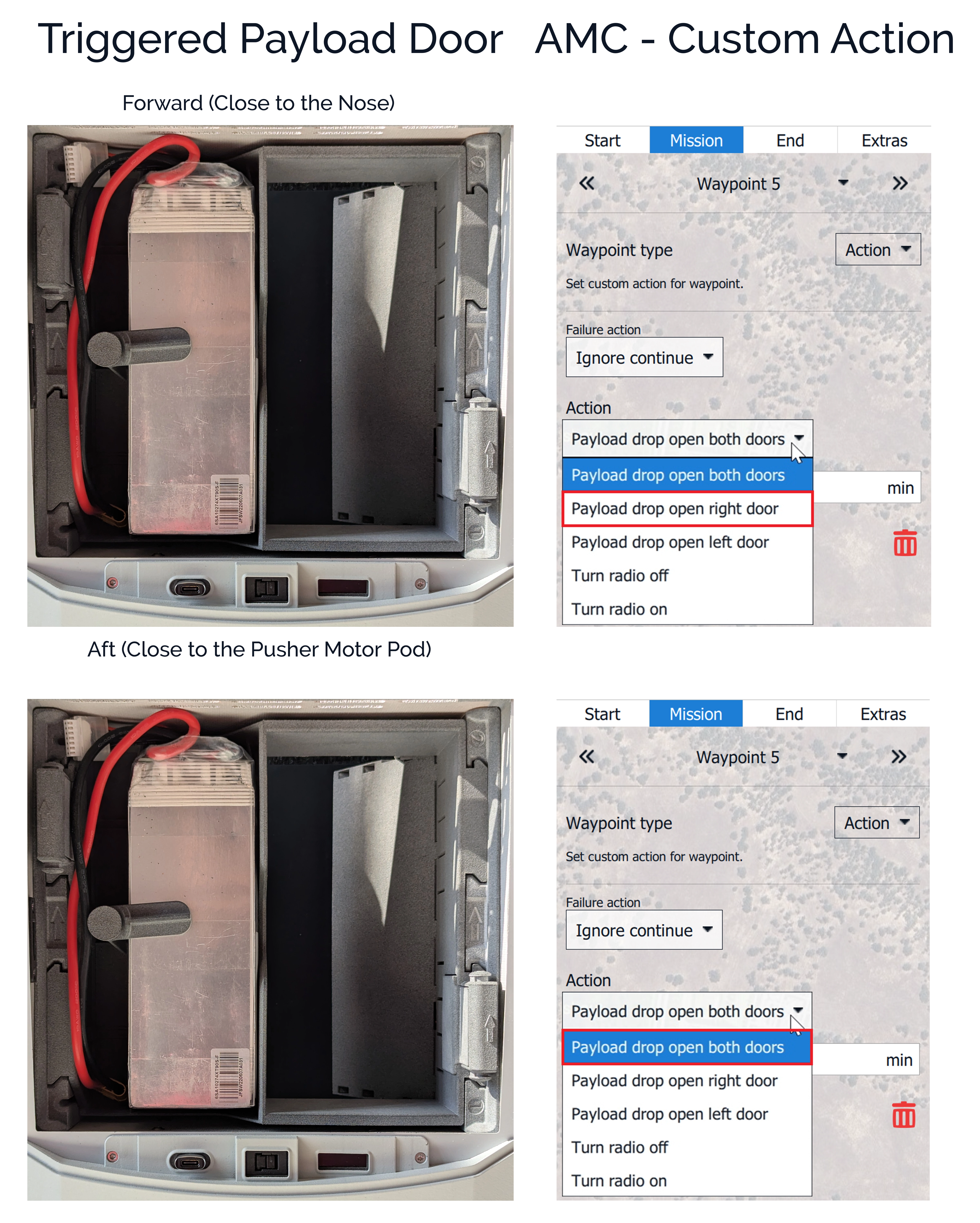
For the **APDS with Auxiliary Batter**y, two custom actions are available:
* Payload drop - open the right door
* Payload drop - open both doors (only the right door will open!)
{% endhint %}
---
# Agent Instructions
This documentation is published with GitBook. GitBook is the documentation platform designed so that both humans and AI agents can read, navigate, and reason over technical content effectively. Learn more at gitbook.com.
## Querying This Documentation
If you need additional information that is not directly available in this page, you can query the documentation by asking a question.
Perform an HTTP GET request on the following URL with the `ask` and `goal` query parameters:
```
GET https://docs.deltaquad.com/gov/deltaquad-evo-payloads/aerial-payload-deployment-systems.md?ask=&goal=
```
`ask` is the immediate question: it should be specific, self-contained, and written in natural language.
`goal` is what the user is ultimately trying to achieve, the reason they need the answer. Sharing it helps GitBook give you a better, more relevant answer. A goal is most helpful when it describes the outcome the user wants rather than restating the question. For example, with `ask=how do I create an API token`, a goal like `automate deployments from our CI pipeline` lets GitBook tailor the answer to that use case.
The response will contain a direct answer to the question and relevant excerpts and sources from the documentation.
Use this mechanism when the answer is not explicitly present in the current page, you need clarification or additional context, or you want to retrieve related documentation sections.